Lifecycle
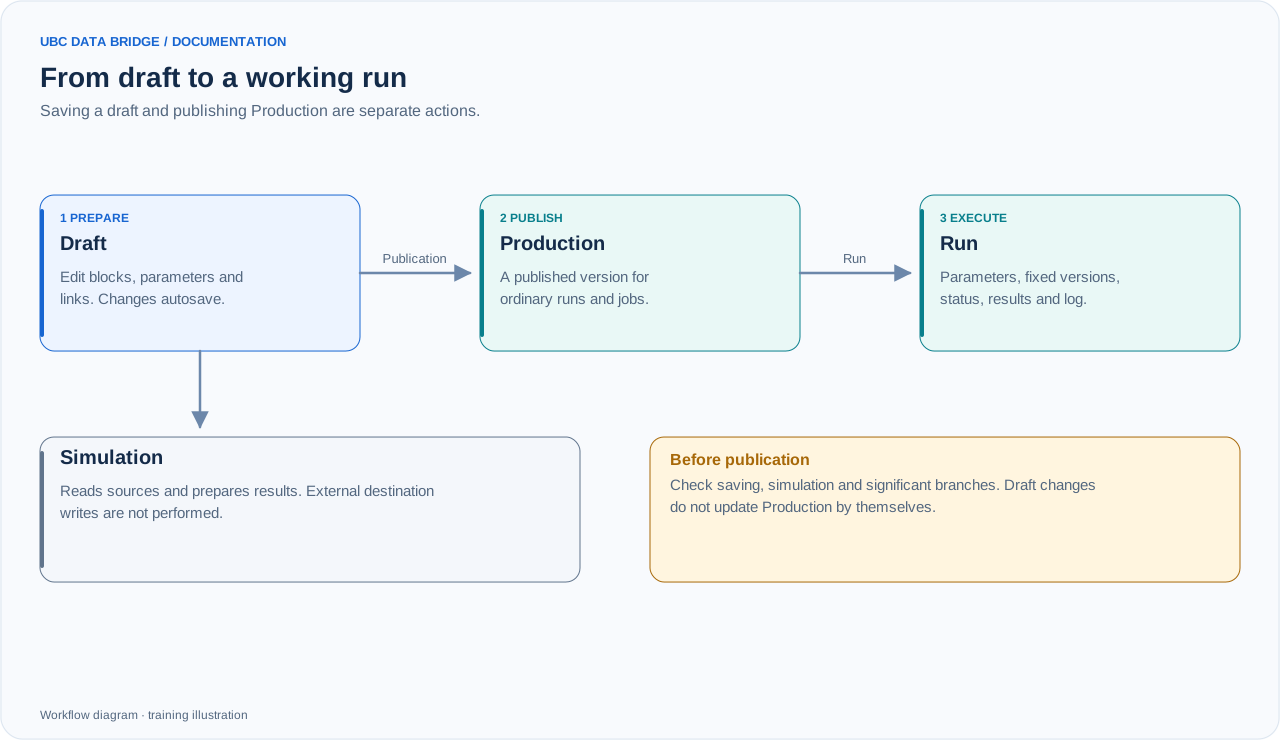
A draft is checked through simulation and separately promoted to Production. A working run has its own parameters, fixed versions and results.
A draft is for changes and validation. Production is the published version used by ordinary runs and jobs. Saving a draft does not change Production. Publish to promote settings into working use.
Autosave
Draft changes are automatically saved to the server. A new flow needs a name. Check the save-status indicator before closing the editor. If connectivity is interrupted, do not assume a change is saved simply because it is visible on the canvas.
If revisions conflict, you can save the work as a new draft. Production is not automatically overwritten. Manual save and autosave are coordinated to avoid writing the same object concurrently.
Simulation
Simulation traverses a draft and displays prepared results without external destination writes. Sources are still read and access and settings are checked. Fill interactive parameters, continue execution and inspect the active branch. For “Route by launch method”, select the simulation branch explicitly to verify each entry route. A message marked “Prepared” has not been sent; “Call flows” validates configuration without creating child runs. A processing subflow executes inside the simulation and returns its table.
Publication
- Wait for the latest changes to be saved.
- Check the graph schema, data and all destinations.
- Run a simulation and review the result of every significant branch.
- Use “Promote to Production”.
- Test execution with the parameters and permissions that users or the automated job will have.
Dependent Production versions
Flow calls use the dependent flow’s published version. After changing its inputs, outputs or parameters, publish the intended version and verify referring blocks. A removed input, output or parameter must be reselected. A prepared run has its own dependency snapshot; editing another draft does not silently change it.