Execution methods
| Action | Result |
|---|---|
| Validate | Read and prepare data and analyze errors before writing. |
| Run | Perform complete validation and automatically proceed to writing on success. |
| Draft simulation | Check the editable configuration without external destination writes. |
| Interactive wizard | Complete steps requiring parameters, a file or a user choice. |
Run statuses
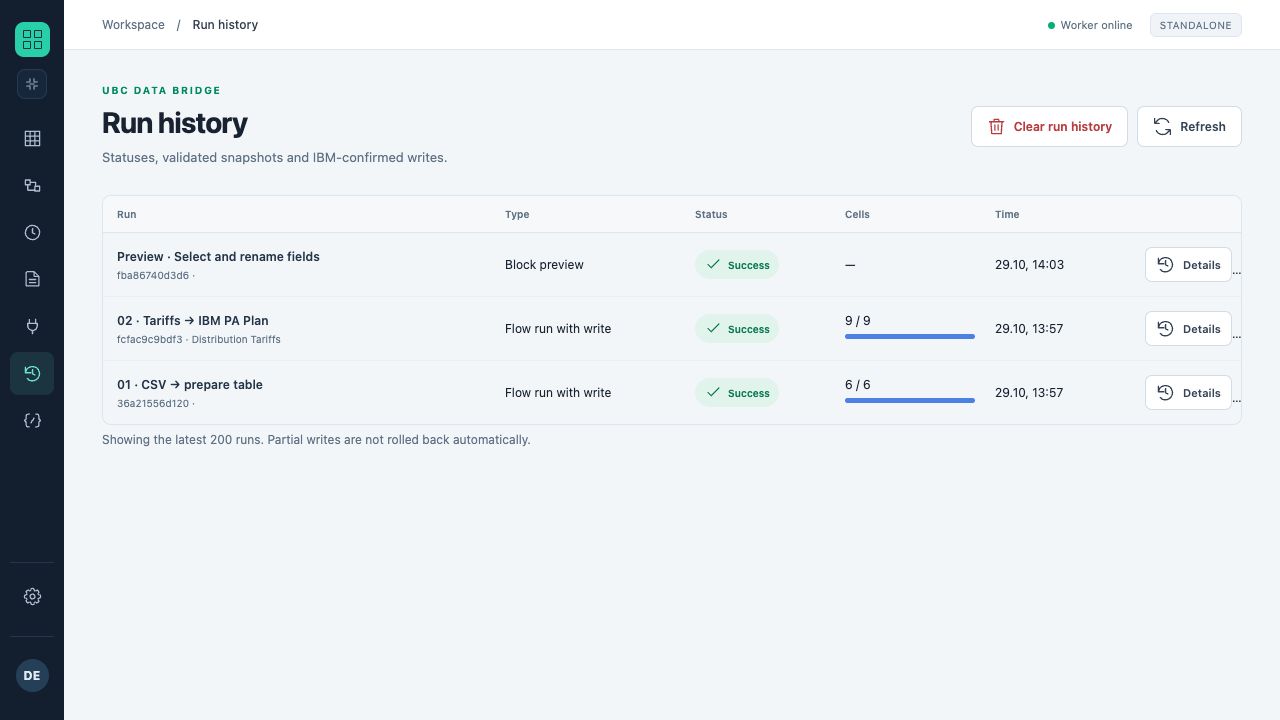
The log contains a block preview and two successful training runs. The IBM flow shows 9 of 9 cells; IBM responses were supplied by a test simulator.
| Status | Meaning | What to do |
|---|---|---|
| queued | The run has been accepted into the queue. | Wait for the executor; do not create a duplicate run. |
| running | Processing is in progress. | Watch the current block and counters. |
| waiting | A user action is required. | Open the wizard and complete the step. |
| succeeded | Execution completed successfully. | Verify the business result and record count. |
| failed | Execution ended with an error. | Open the error code and details. |
| partial | Some writes are already confirmed. | Determine exactly what was written before retrying. |
| uncertain | A submitted operation has no unambiguous confirmation. | Reconcile with the target system; automatic retry is unsafe. |
| cancelled | The run was cancelled. | Check the log and any completed actions. |
Block results
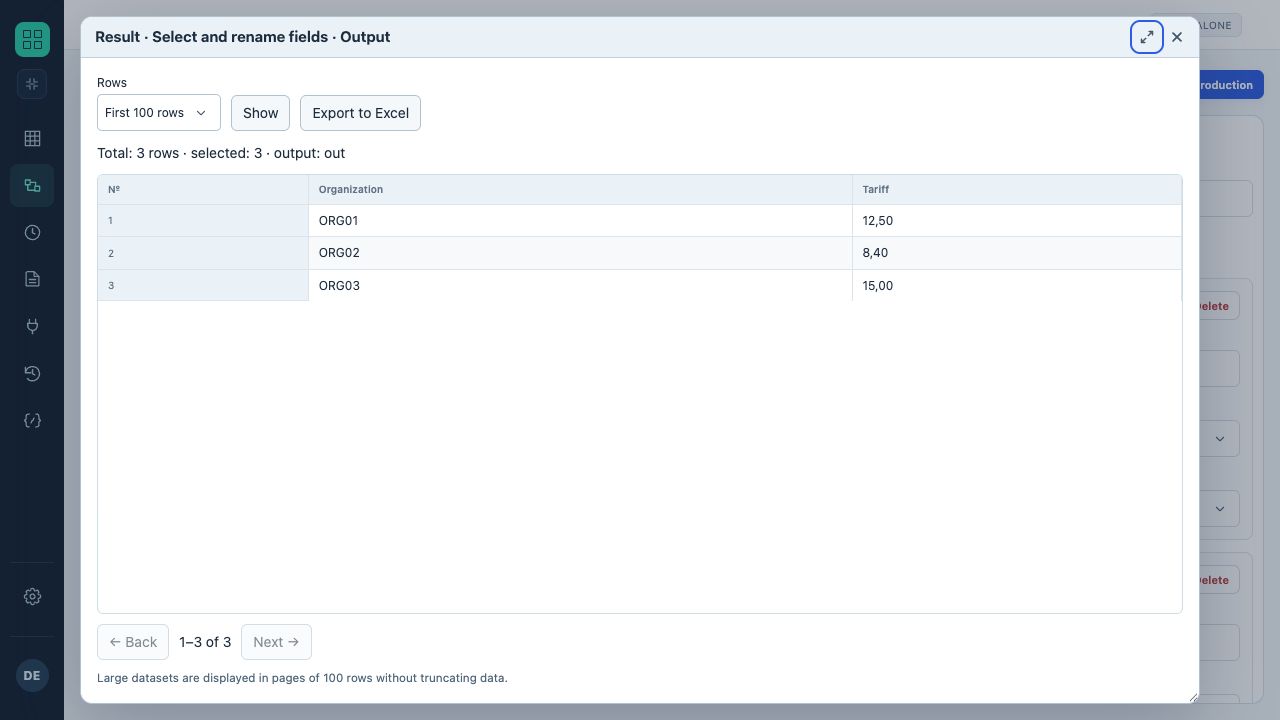
The mapping-result window shows three training rows, output field names, a row count and export controls.
- This is a block output preview in the designer.
- For a large table, you can change the row count and navigate pages.
An output table helps locate where data changed. Compare row counts before and after Filter, Join, Group and Unpivot. For destinations, analyze the prepared operation count, confirmed writes and diagnostics for rejected values.
Snapshot validity
A run fixes its configuration and dependencies. If flow, source or connection settings changed after validation, writing may be rejected with REVISION_CHANGED. In that case, validate again. A validated snapshot cannot be submitted for writing twice.
Cancellation and retry
Cancellation is checked between steps and batches. It does not roll back confirmed external actions. Before retrying a partial or uncertain run, reconcile target keys, cells or messages and determine a safe scope for repetition.
Several runs of one flow
A Workspace button tracks runs created by its own clicks; other users’ runs can proceed alongside them. Library buttons may show “Running…” while other permitted entry points operate within configured limits. Inbound API deliveries for one flow remain sequential. Writes to the same target coordinates are ordered; this is not a global rollback across external systems. After “Partial” or “Reconciliation required”, use the run ID to inspect the particular applied batches.