Task and prerequisites
Correct missing values and negative quantities, replace Excel errors and reject rows containing unacceptable text.
This example uses demonstration data and settings. Validate the expected result in your own environment before connecting production destinations. Identifiers demo_* are illustrative: select your own training connections or sources in the editor. The JSON below shows the block and connection structure, not a ready-to-transfer flow archive.
Training input data
quality.csv
ID;Qty;Price
A;;10
B;-2;5
C;3;#N/A
D;4;unknown
Blocks, connections and exact settings
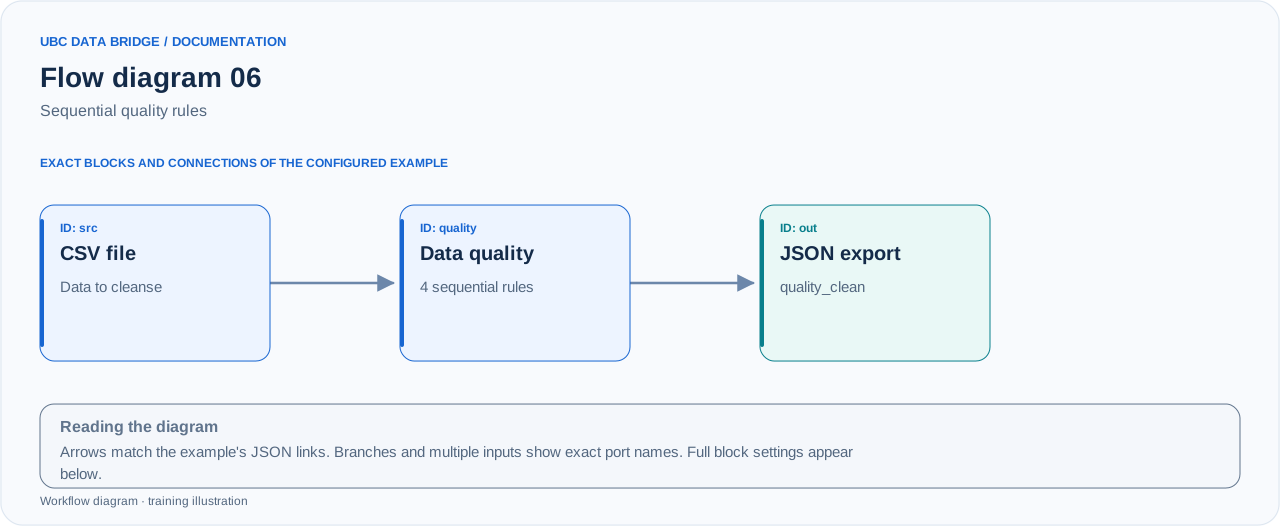
Example 06 topology: 3 blocks, 2 connections. Node identifiers and ports from the configured graph are preserved.
Add the listed blocks in the designer, open each block's properties and set these values. Names demo_* identify training sources and connections.
| Block | Setting |
|---|---|
| 1 File src |
|
| 2 Data cleansing and validation quality |
|
| 3 Data export out |
|
Port connections
- src
out→ qualityin - quality
out→ outin
Complete graph configuration as JSON
{
  "version": 3,
  "nodes": [
    {
      "id": "src",
      "type": "file",
      "label": "src",
      "config": {
        "role": "source",
        "source_id": "demo_quality",
        "options": {
          "sheet": "CSV",
          "range": "A1:C5",
          "header": true,
          "delimiter": ";"
        }
      }
    },
    {
      "id": "quality",
      "type": "quality",
      "label": "quality",
      "config": {
        "rules": [
          {
            "fields": [
              "Qty"
            ],
            "condition": "empty",
            "action": "replace",
            "value": 0
          },
          {
            "fields": [
              "Qty"
            ],
            "condition": "negative",
            "action": "positive"
          },
          {
            "fields": [
              "Price"
            ],
            "condition": "excel_error",
            "action": "null"
          },
          {
            "fields": [
              "Price"
            ],
            "condition": "invalid_number",
            "action": "skip_row"
          }
        ],
        "whitespace_empty": true,
        "log_limit": 20
      }
    },
    {
      "id": "out",
      "type": "export",
      "label": "out",
      "config": {
        "format": "json",
        "filename": "quality_clean",
        "destination": "download",
        "delimiter": ";",
        "timezone": "Europe/Kyiv"
      }
    }
  ],
  "edges": [
    {
      "source": "src",
      "target": "quality",
      "source_port": "out",
      "target_port": "in"
    },
    {
      "source": "quality",
      "target": "out",
      "source_port": "out",
      "target_port": "in"
    }
  ]
}
Expected result
| ID | Qty | Price |
|---|---|---|
| A | 0 | 10 |
| B | 2 | 5 |
| C | 3 | NULL |
Row D is rejected. Rules run sequentially: #N/A first becomes NULL and is no longer considered an invalid number by the next rule.
Run and verify
- Upload quality.csv and save the rules in the illustrated order.
- Run the flow and open quality-block details and the replacement log.
- Check the 3 result rows, Qty(A)=0, Qty(B)=2 and Price(C)=NULL; the log is limited to 20 change examples.
Common errors
- Swapping the last two rules changes the result: #N/A may be rejected before being replaced with NULL.
- condition=invalid_number rejects nonnumeric values. condition=text rejects any nonempty text, including numeric CSV strings; it is unsuitable for this example.
- log_limit limits examples in the log, not the number of processed rows.