Prepare a training file
Save file sales.csv in UTF-8. The example uses a semicolon delimiter. Field names must match the block settings.
Product;Region;Amount
A;Kyiv;120
B;Lviv;0
C;Kyiv;80
Create a source
- Open “File sources” and create “Training sales”.
- Upload the file or select it in File Manager. Choose CSV, delimiter “;” and the first row as headers.
- Set a range covering all three columns and the rows, then preview the table. Ensure Product, Region and Amount are recognized as separate fields.
Build the graph
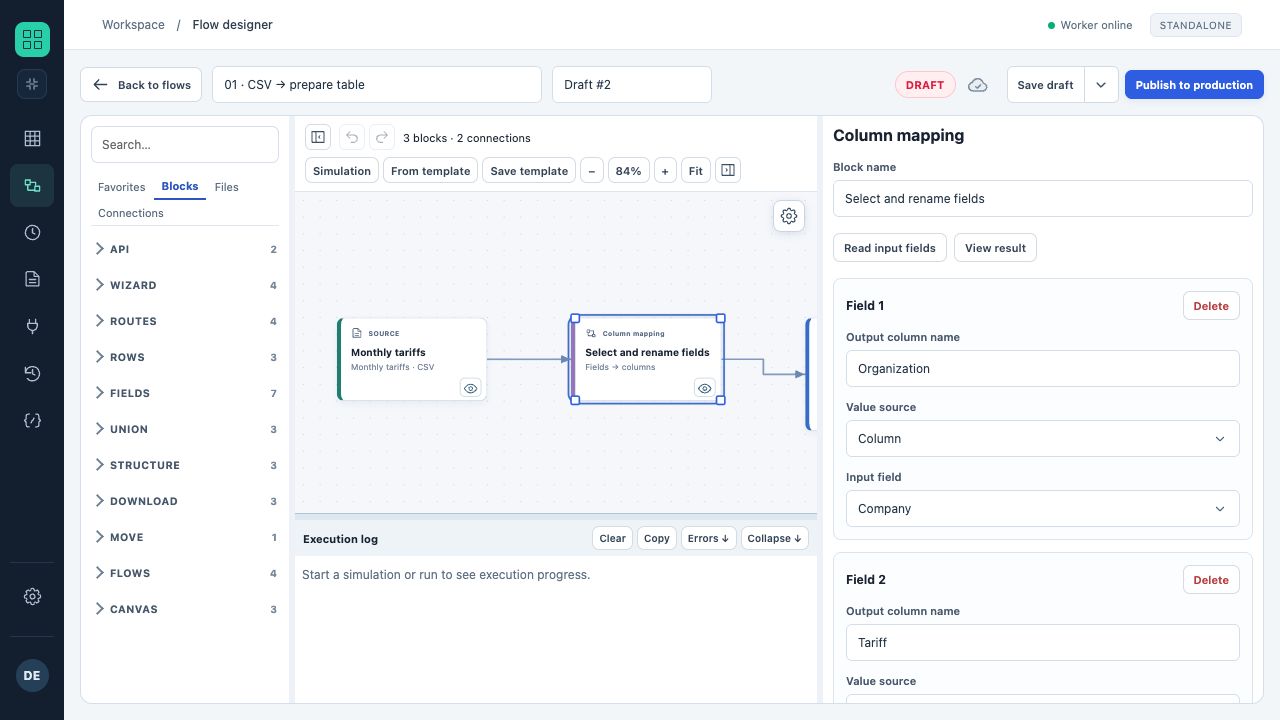
A draft CSV → mapping → CSV flow. The palette is on the left, blocks and links in the center, and selected-block properties on the right.
- The palette adds blocks, files and connections.
- Properties change when a block is selected on the canvas.
- Simulation and promotion to Production are separate actions.
- In “Data flows”, create “Sales — training” and name the draft.
- Add a file source. Select the prepared source and its range.
- Add a “Filter”: field Region, text comparison, equals Kyiv.
- Add a CSV “Export” and connect the blocks: file → filter → export.
- Preview the filter result: A / Kyiv / 120 and C / Kyiv / 80 should remain.
Validate and run
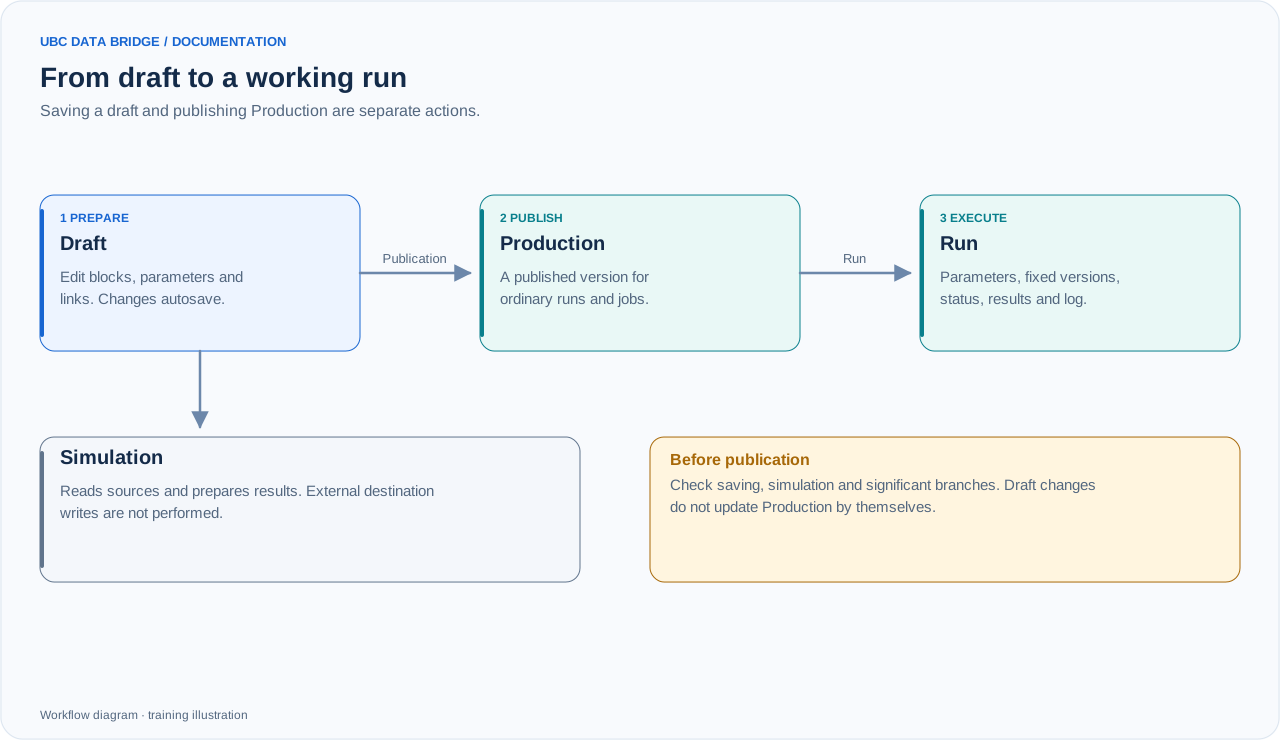
A draft is checked through simulation and separately promoted to Production. A working run has its own parameters, fixed versions and results.
Simulate the draft and inspect output tables and the prepared result. Simulation must not be treated as confirmation of actual delivery to an external system. After checking, publish the draft to Production and run the flow with the required permissions.
Verify the result
- The run status is successful and the output contains two data rows.
- The downloaded CSV contains three columns and headers.
- The log contains no number-parsing or missing-field errors.
- The next run uses current settings and the source version.