Purpose
Routes rows by configured conditions, field values or reference-data elements. In condition mode, first selects the first match and all selects every matching route. Field-value and reference modes provide one output per saved value and send unmatched rows to “Other values”. To compare an amount with another table’s limit, join the limit first, then compare fields in the current row.
Inputs and outputs
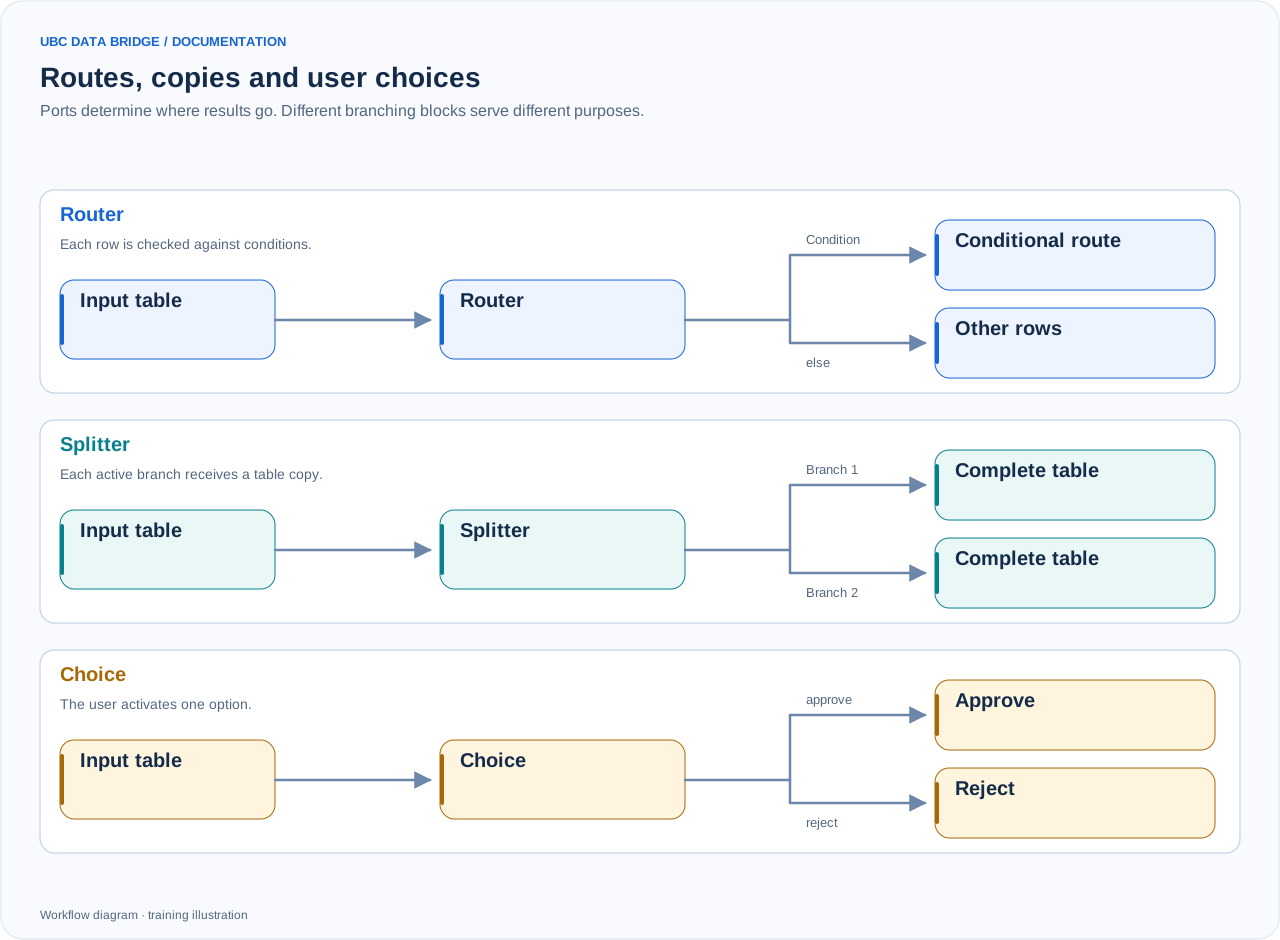
A comparison of routing, splitting and user choice. Routing can use first-match or all-match mode; the diagram shows a simple route and else. Merge also waits for a signal that an input is inactive.
One main in input. In conditions mode, each route has its own output and default_route adds else. In values/reference modes, saved values have outputs plus else. Reference data used to build the value list is chosen in settings, not connected to a second input port.
Routing type
| Field | Value |
|---|---|
| route_type | conditions, field values, or reference-data elements. |
| routes / mode | Up to 16 condition routes; first or all. Each route combines conditions using all/any. |
| route_field / values | Input field and up to 64 unique output values with IDs and captions. |
| source / match_by | IBM/UBC dimension, form relation, file range or database table; match by id or name. |
| default_route | Optional else for conditions; value/reference routing always includes “Other values”. |
Defining a condition
| Parameter | What it configures |
|---|---|
column | The row field to check. |
op | Equal eq, not equal ne, greater than gt, greater than or equal gte, less than lt, less than or equal lte, contains contains, starts with starts_with, in a list in, not in a list not_in, empty empty, non-empty not_empty. |
value_mode | Comparison source: constant — a constant value; parameter — a parameter from an earlier block; field — another field in the current row. To compare with another table, join the required field first. |
value / value_field | A constant or comparison-field name. For in and not_in, enter one value per line. |
parameter_block / parameter | The parameter block and parameter name; the parameter must have been prepared earlier in this branch. |
numeric | Enable for numeric comparison. An empty value does not satisfy a numeric condition; text that cannot be parsed as a number causes an error. |
Setup
- Select routing type.
- For conditions, define rules and order; for values, select a field and populate the list; for reference data, select its source, key and label fields.
- Check unique values and output labels.
- Connect outputs and define handling of other values.
- Test a match, no match, an empty value and a row matching several conditions.
Behavior
- In all mode, one row may reach several destinations.
- Without default_route, rows matching no condition are discarded.
- An empty branch does not perform external writing.
- Value-based outputs are stored in the flow; reread changed reference data and verify the graph.
- For keyed limits, use Join with cardinality checking and missing-value validation before routing.
Limit example
Join adds Limit to each request by Department. Data quality rejects an empty Limit. Routing compares Amount with the Limit field using numeric=true: excess goes to approval and else to normal processing. Example 11 gives the full configuration.
Comparison with a reference element
A condition can use value_mode=member: an IBM Planning Analytics dimension element, a UBC Analytics dimension element or a form relation value. Select the connection and object, then the element and matching method. The compared value is captured when configuring the condition; it is not a dynamic join to another source for each row. Recheck the selection after the relevant element or attribute changes. Use value_mode=field to compare two columns in the current row.