Cell coordinates
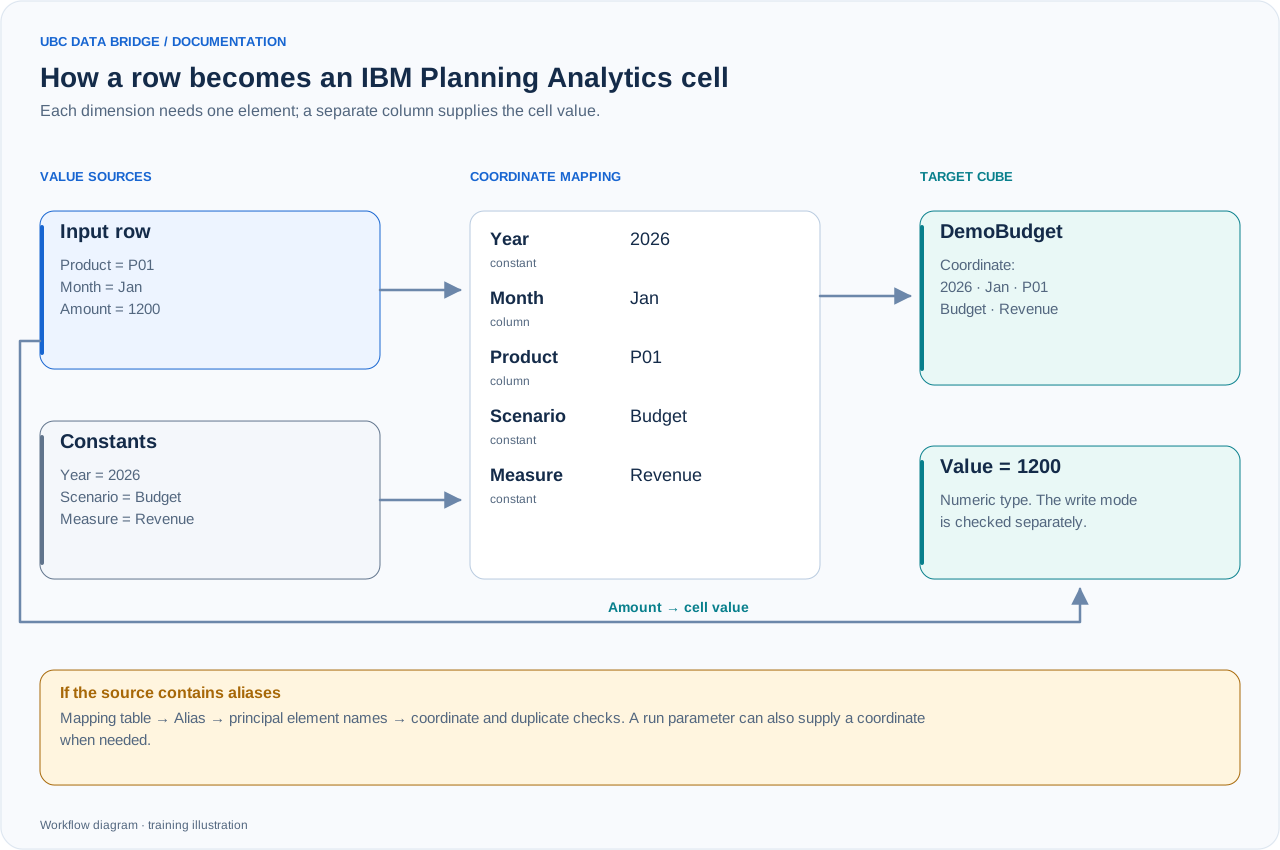
Training example: the Product and Month columns and three fixed coordinates address one DemoBudget cell; Amount supplies 1200. A run parameter is another supported way to set a coordinate.
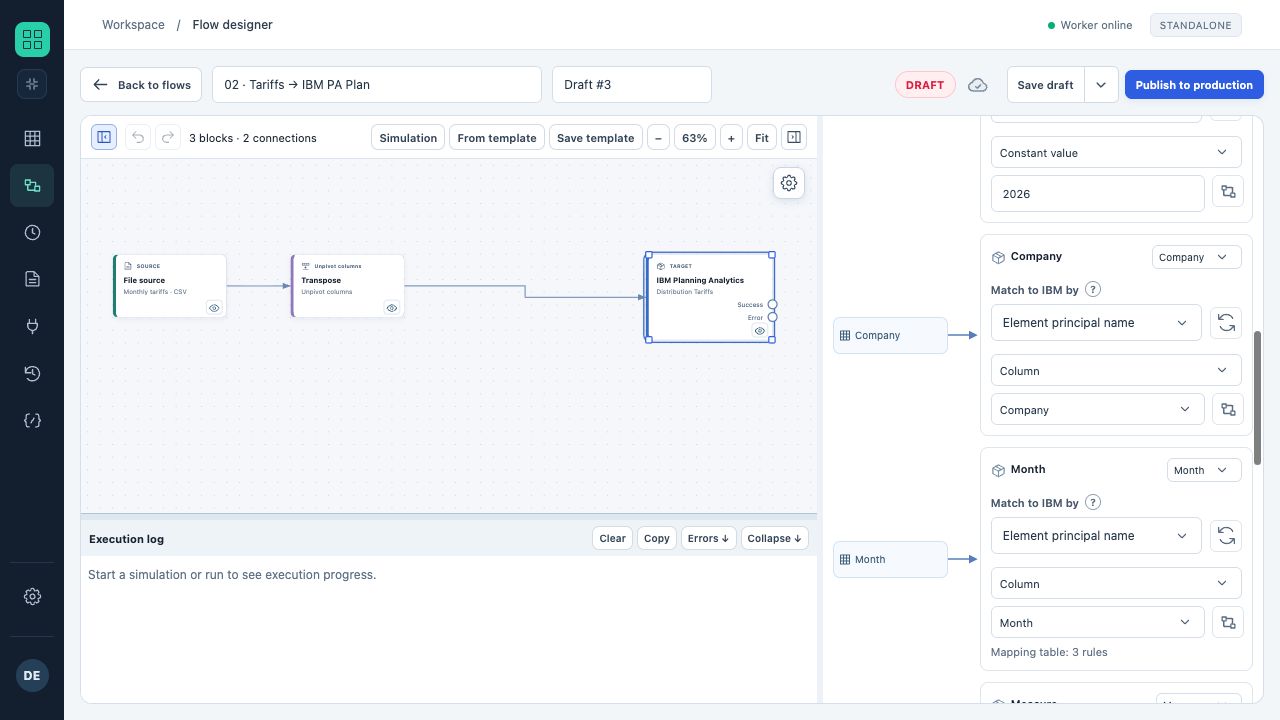
In the IBM write settings, Company and Month columns are mapped to cube dimensions. Three lookup rules are configured for the month.
- A source column supplies the coordinate for each row.
- The Plan, 2026 and Tariff constants are set in the other dimension cards in this example.
To write a row to a cube, UBC Data Bridge must obtain one element for each dimension and one value. The number and order of mappings must match the cube structure. A hierarchy is selected for every dimension.
| Coordinate source | Example | Usage |
|---|---|---|
| Column | Product from the input table | The coordinate varies between rows |
| Constant value | Actual | All rows go to one version |
| Run parameter | Period from the form | The user selects the slice |
The value field identifies the column containing the amount or text. Select the appropriate type: number or string. If periods occupy different source columns, first use a separate Unpivot block.
Mapping table
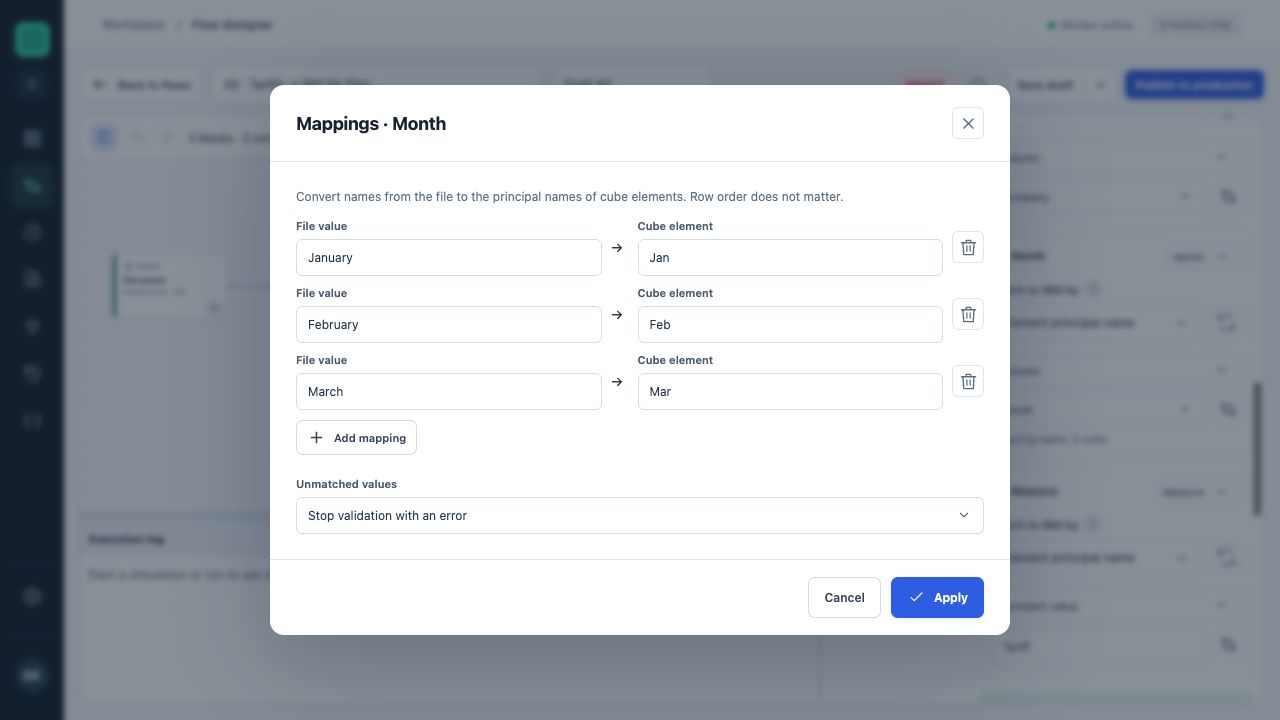
Full month names are mapped to abbreviated cube elements. Unknown values are configured to stop processing with an error.
When source and IBM codes differ, define “source → target” pairs. For example, UAH → Currency_UAH. Select a policy for unknown values: pass through unchanged for further validation, or stop processing with an error.
A source value cannot appear twice in the mapping table. If Alias mapping is selected, the target side of the mapping must contain that alias's values, not principal names.
Mapping by Alias
By default, a coordinate uses the principal element name. For data with human-readable labels, you can explicitly select an Alias-type attribute. A regular text attribute is not a supported alias for this mechanism.
Before writing, UBC Data Bridge resolves each supplied alias to its principal name. Comparison ignores case and ordinary spaces, but does not remove punctuation or leading zeros or translate names. Preparation stops if a value is missing or matches several elements.
Resolved principal coordinates are fixed in the preparation snapshot. A later label change in IBM must not redirect an already prepared value to a different element.
Empty values, duplicates and batches
| Setting | Options | Check |
|---|---|---|
| Empty value | Skip, zero, error | How an empty measure is handled. |
| Repeated coordinates | Error or sum | Summing requires numbers; coordinates are checked after Alias resolution too. |
| Decimal separator | Period or comma | Must match the input number. |
| Cells per write batch | 500–50,000; default 10,000 | Each batch is validated and written separately. |
| Response wait per batch | 10–3600 seconds; default 120 | A lost write confirmation requires reconciliation. |
The configuration fields are portion_cells and response_seconds. Check unique-coordinate counts, a control total and a test slice before writing. Larger batches reduce requests but must suit server and network capacity.