What UBC Data Bridge is for
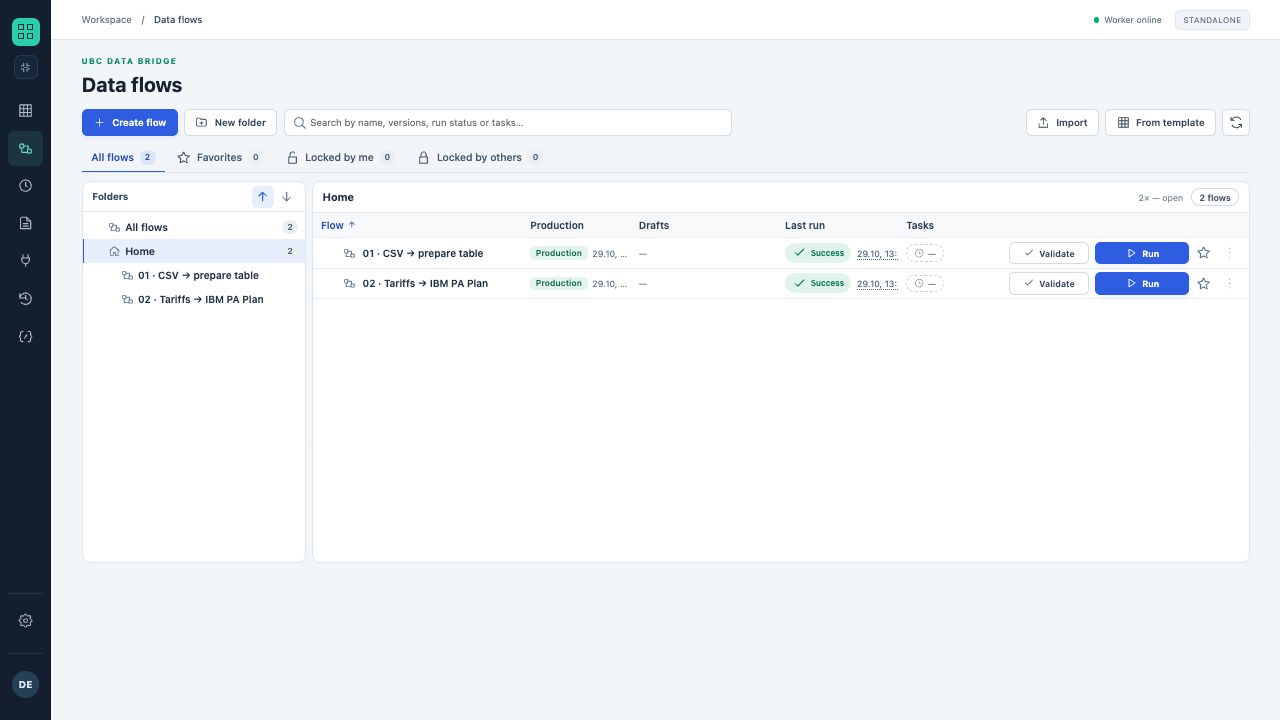
Two training flows in the library: folders on the left, Production and the most recent run result in the table on the right.
- Double-click to open a flow.
- Tabs filter all, favorite and locked objects.
UBC Data Bridge manages data exchange between files, business systems, databases and external services. In the designer, you assemble a flow from blocks: read data, transform tables, validate quality and deliver results to destinations. The system stores settings, flow versions and execution history.
A flow can run unattended or guide a user through a wizard: request a parameter or file, show intermediate data, offer a choice and continue along the selected branch.
Core capabilities
| Area | What you can do |
|---|---|
| Data acquisition | Read Excel, CSV, JSON and XML files; connect remote storage, SQL, REST/OData, IBM Planning Analytics and UBC Analytics. |
| Transformation | Map fields, filter, group, combine tables, remove duplicates, calculate values and normalize numbers and text. |
| Flow control | Branch on conditions or a user choice, merge active branches and start the next step after a write result. |
| Result delivery | Write to cubes, tables and APIs; create files; run TI; send email and Telegram messages. |
| Control | Preview block tables, simulate a draft, validate destinations and analyze logs, partial writes and unconfirmed writes. |
| Operation | Publish Production versions, manage roles, organize libraries and configure schedules, intervals or source-change monitoring. |
These areas also include the local agent, three API directions, subflows and controlled file transfer. A process can deliver its result to a destination system, a file, an API publication or another flow.
How data moves
Each connection passes a table or a special port result. Links between blocks determine the order. Position on the canvas alone does not define execution order.
Who uses the system
- Flow author configures blocks, checks data and prepares a version for publication.
- Run operator chooses an authorized flow, fills in parameters and checks the result.
- Administrator manages connections, sources, roles, automated jobs and environment settings.