Two workspaces
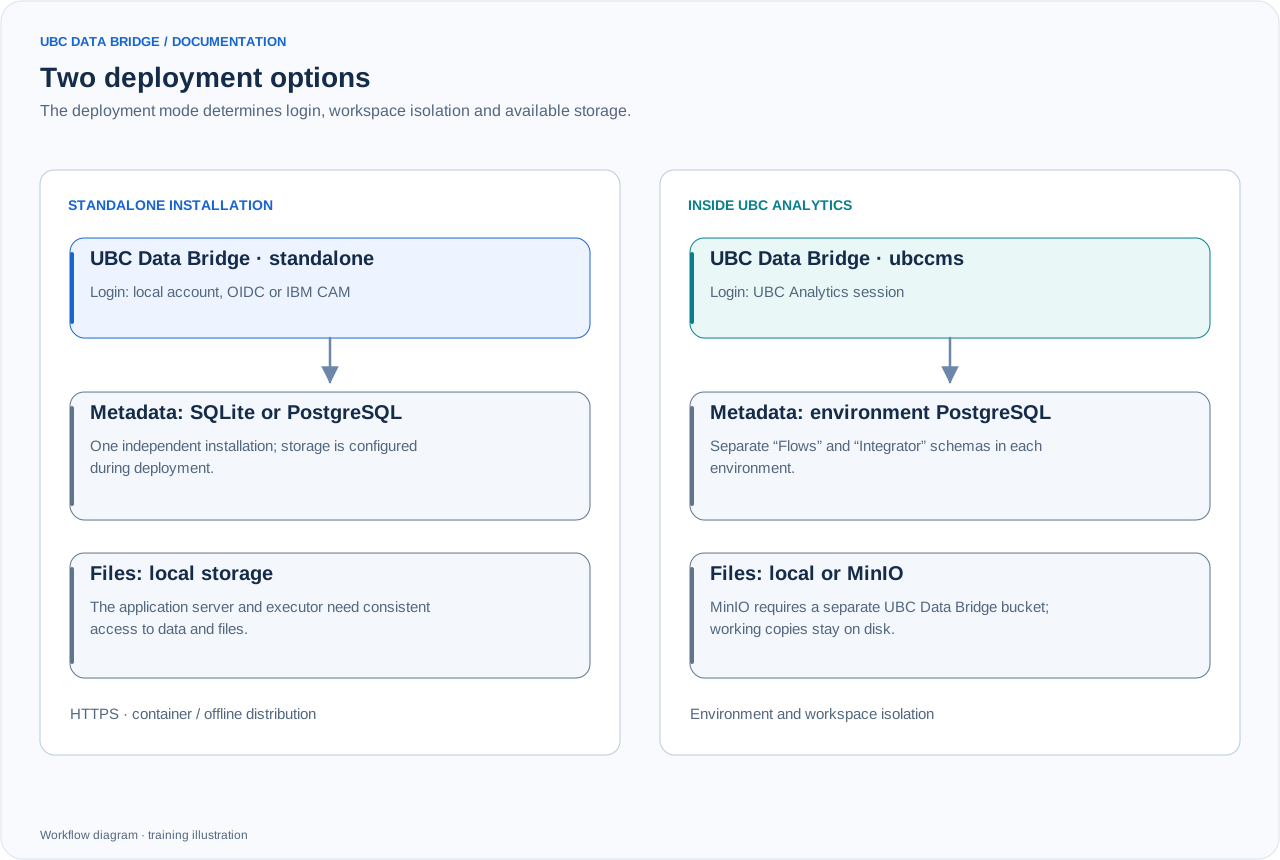
Comparison of a standalone installation and UBC Analytics integration. MinIO belongs to ubccms mode; in a standalone deployment, connectors still need access to their respective servers.
Each environment has “Flows” in the Designer and “Integrator” in the main menu. They have separate libraries, metadata, files and settings. Check the environment and section name in the top bar before creating or running anything.
Connections and objects
The UBC Analytics connection is available only in embedded mode. Flows can work with supported cubes, dimensions and forms. Cube mapping uses element codes. In forms, system fields can help locate an existing record, but UBC Analytics itself generates their values.
Current form record and simulation
A form source reads all records or “The form record that launched the flow”. Production execution of the latter needs a form-button context. A manual run, schedule or cube button does not create that context. For testing, choose “Record for simulation” from the form list and, when needed, a record supplying “Values before saving”. These selections apply to preview, simulation and validation; they do not replace the record of a real event.
Launch buttons
A form button can show wizard steps marked “Show in execution wizard” in a window over UBC Analytics. A cube button is intended for a flow without user participation. Messages defined in the flow shape the user journey.
Execution permissions
For cube/form buttons, reads and writes use the publishing author's permissions, checked by the integration. If that author loses required permissions, the flow must be checked and published again. A UBC Data Bridge Workspace button separately checks the execution permission of the person clicking it.
Form saves and cube updates
A form button with a save action can supply an event containing previous and new values. A cube destination using “Transactional data addition” applies the same transformations to both states and adds only the difference. This maintains an aggregated cube when an individual record’s contribution changes. Track the event, destination result and, if enabled, the removed/added value log. For ordinary full reloads, use explicit replacement or clearing of the intended slice.