Task and prerequisites
Read a limited set of SQL records with one SELECT query and create a verification CSV.
This example uses demonstration data and settings. Validate the expected result in your own environment before connecting production destinations. Identifiers demo_* are illustrative: select your own training connections or sources in the editor. The JSON below shows the block and connection structure, not a ready-to-transfer flow archive.
Connection demo_sql is an illustrative training SQL database. All addresses, users and secrets are configured in the connection manager, not in graph JSON.
Training input data
| order_id | status | amount |
|---|---|---|
| 101 | open | 120 |
| 102 | closed | 70 |
| 103 | open | 30 |
Blocks, connections and exact settings
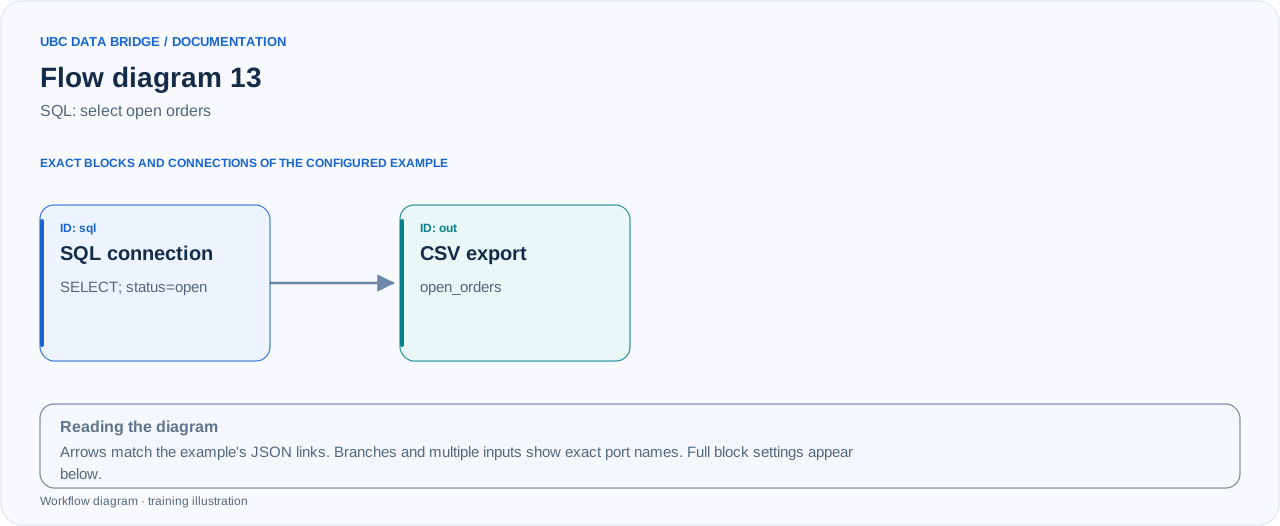
Example 13 topology: 2 blocks, 1 connection. Node identifiers and ports from the configured graph are preserved.
Add the listed blocks in the designer, open each block's properties and set these values. Names demo_* identify training sources and connections.
| Block | Setting |
|---|---|
| 1 Connection sql |
|
| 2 Data export out |
|
Port connections
- sql
out→ outin
Complete graph configuration as JSON
{
  "version": 3,
  "nodes": [
    {
      "id": "sql",
      "type": "connection",
      "label": "sql",
      "config": {
        "role": "source",
        "connection_id": "demo_sql",
        "external": {
          "source_mode": "query",
          "query": "SELECT order_id, amount FROM demo_orders WHERE status = 'open' ORDER BY order_id"
        }
      }
    },
    {
      "id": "out",
      "type": "export",
      "label": "out",
      "config": {
        "format": "csv",
        "filename": "open_orders",
        "destination": "download",
        "delimiter": ";",
        "timezone": "Europe/Kyiv"
      }
    }
  ],
  "edges": [
    {
      "source": "sql",
      "target": "out",
      "source_port": "out",
      "target_port": "in"
    }
  ]
}
Expected result
| order_id | amount |
|---|---|
| 101 | 120 |
| 103 | 30 |
Two records, with amount totaling 150. ORDER BY makes verification-file ordering deterministic.
Run and verify
- Create demo_orders with the illustrated rows in the training database beforehand, along with connection demo_sql.
- Test the connection and select query mode in the source block.
- Run and verify IDs 101/103; closed record 102 must not appear in the result.
Common errors
- Reading allows one nonmutating query; do not insert DDL or multiple statements.
- Table/schema names depend on your database; use schema.demo_orders if required.
- Without ORDER BY, SQL result ordering is not guaranteed.