What you can do
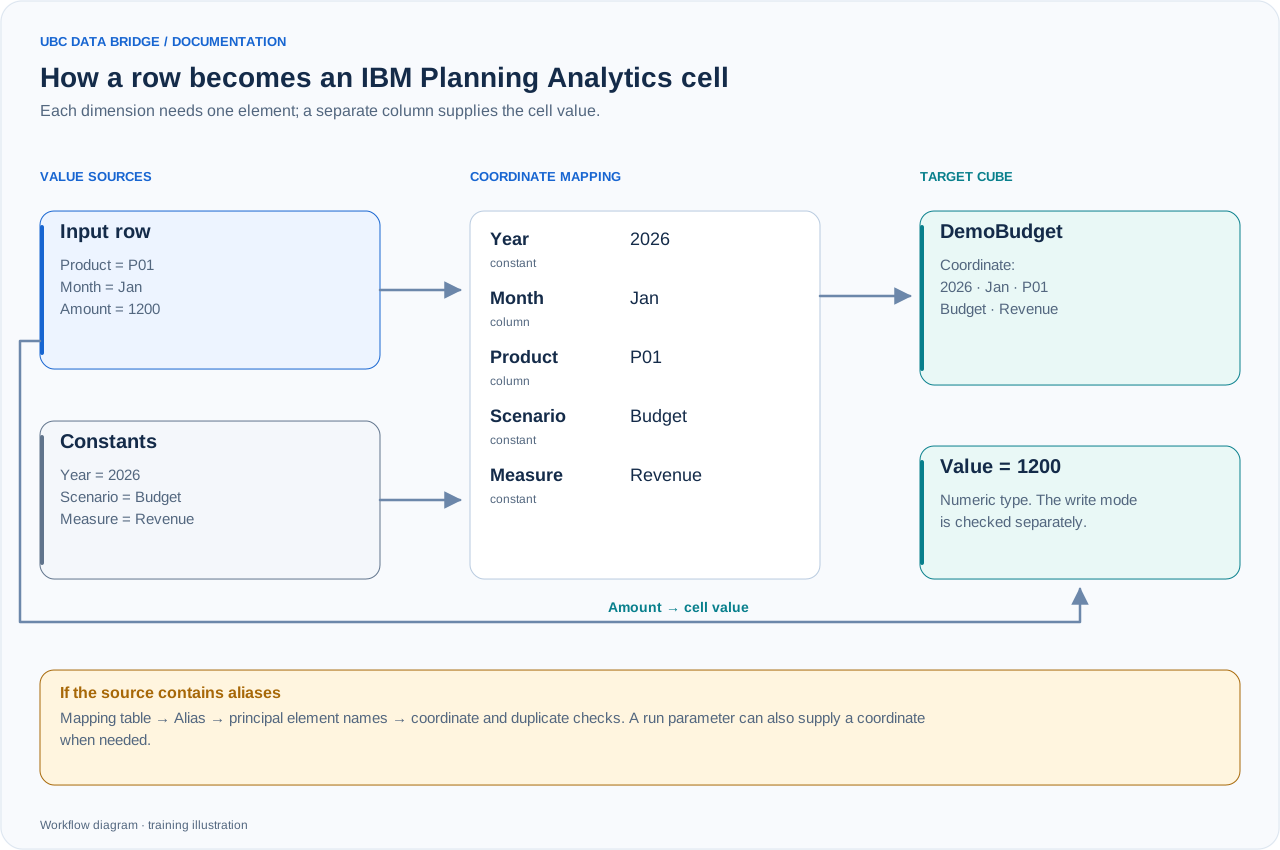
Training example: the Product and Month columns and three fixed coordinates address one DemoBudget cell; Amount supplies 1200. A run parameter is another supported way to set a coordinate.
An IBM Planning Analytics connection gives a flow access to TM1 through its REST API. UBC Data Bridge reads cubes and their public views, exports dimension structures with attributes, maps table rows to cube coordinates, writes values and starts existing TurboIntegrator processes. A flow can also be started with a button in a Planning Analytics Workspace book.
| Task | UBC Data Bridge tool | Result |
|---|---|---|
| Export plan or actual data | Connection → source → cube or public view | A flat table of coordinates and values |
| Read reference data | Connection → source → dimension | Elements, relationships, levels and attributes |
| Load a table | A cube destination with mapping | Writes to specific accessible cells |
| Run IBM server logic | Destination → TI process | A parameterized call or a sequence for distinct column combinations |
| Give a user an action in a book | Workspace button | Runs a flow with forms and messages |
Two levels of access control
Permission to run a flow in UBC Data Bridge and permission to read or change cells in IBM are checked separately. UBC Data Bridge controls access to the flow, its resources and the Workspace button. TM1 applies the permissions of the account selected by the connection's authentication method.
With saved credentials, all permitted flow users access IBM through the same account. The “From user session” method accesses TM1 with the personal permissions of the person who started the run. Opening a PAW book alone does not grant access to UBC Data Bridge.
Objects and operating model
- Cube: read data and public views, map all dimensions, write accessible cells and clear selected slices.
- Dimension: read structure and attributes; a destination can add leaf elements, update an attribute and build hierarchy relationships from columns.
- TurboIntegrator: run an existing process with constants, launch parameters or data-column values.
- A Workspace button starts a process with its permitted interactive steps.
- View reading uses public views; select an authorized TI process for server-side actions. IBM access rules and cell writability are checked separately from flow execution permission.
Your first verification scenario
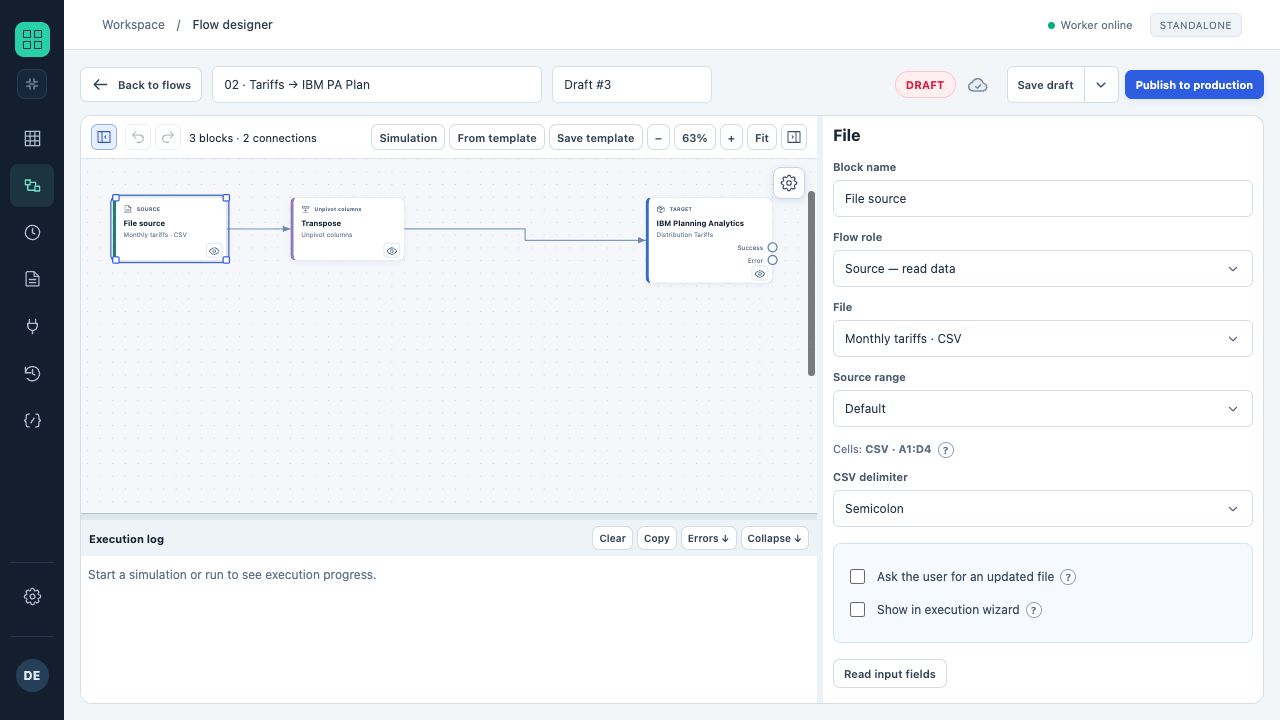
The actual designer with a sample flow: file → unpivot months → IBM cube with configured mapping. The IBM connection uses a test simulator in this training environment.
- Create a connection to a test TM1 database and click “Test”.
- Add it to a flow as a source and select a small public view.
- Preview the block result and compare its coordinates with IBM.
- Add a file destination and produce a verification export.
- Only after checking reads should you configure a separate destination for writing to a test slice.
All server, cube, dimension and process names in documentation examples are illustrative. Substitute objects accessible to your account.