Task and prerequisites
Combine two sales datasets into one table by column names, even when their order differs.
This example uses demonstration data and settings. Validate the expected result in your own environment before connecting production destinations. Identifiers demo_* are illustrative: select your own training connections or sources in the editor. The JSON below shows the block and connection structure, not a ready-to-transfer flow archive.
Training input data
north.csv
Branch;Amount
North;100
North;40
south.csv
Amount;Branch
80;South
Blocks, connections and exact settings
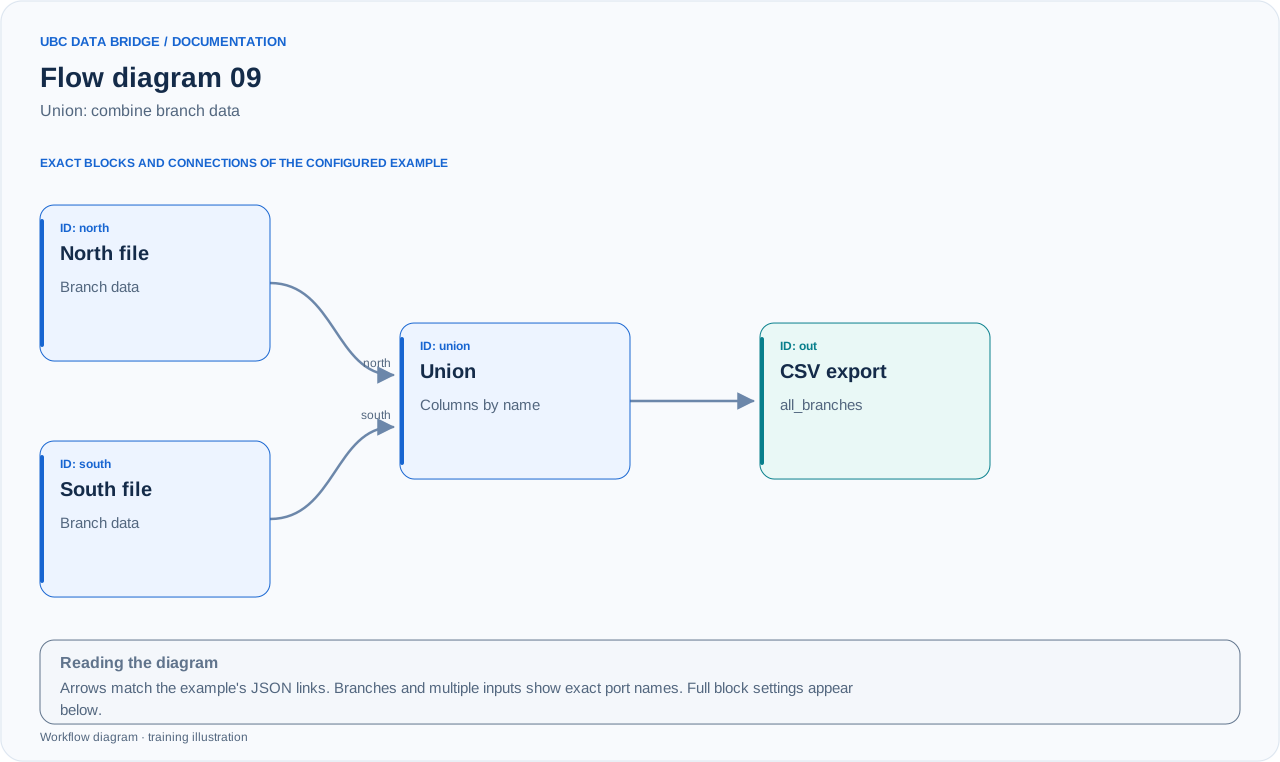
Example 09 topology: 4 blocks, 3 connections. Node identifiers and ports from the configured graph are preserved.
Add the listed blocks in the designer, open each block's properties and set these values. Names demo_* identify training sources and connections.
| Block | Setting |
|---|---|
| 1 File north |
|
| 2 File south |
|
| 3 Union union |
|
| 4 Data export out |
|
Port connections
- north
out→ unionnorth - south
out→ unionsouth - union
out→ outin
Complete graph configuration as JSON
{
  "version": 3,
  "nodes": [
    {
      "id": "north",
      "type": "file",
      "label": "north",
      "config": {
        "role": "source",
        "source_id": "demo_north",
        "options": {
          "sheet": "CSV",
          "range": "A1:B3",
          "header": true,
          "delimiter": ";"
        }
      }
    },
    {
      "id": "south",
      "type": "file",
      "label": "south",
      "config": {
        "role": "source",
        "source_id": "demo_south",
        "options": {
          "sheet": "CSV",
          "range": "A1:B2",
          "header": true,
          "delimiter": ";"
        }
      }
    },
    {
      "id": "union",
      "type": "union",
      "label": "union",
      "config": {
        "inputs": [
          {
            "id": "north",
            "label": "Північ"
          },
          {
            "id": "south",
            "label": "Південь"
          }
        ],
        "mode": "by_name"
      }
    },
    {
      "id": "out",
      "type": "export",
      "label": "out",
      "config": {
        "format": "csv",
        "filename": "all_branches",
        "destination": "download",
        "delimiter": ";",
        "timezone": "Europe/Kyiv"
      }
    }
  ],
  "edges": [
    {
      "source": "north",
      "target": "union",
      "source_port": "out",
      "target_port": "north"
    },
    {
      "source": "south",
      "target": "union",
      "source_port": "out",
      "target_port": "south"
    },
    {
      "source": "union",
      "target": "out",
      "source_port": "out",
      "target_port": "in"
    }
  ]
}
Expected result
| Branch | Amount |
|---|---|
| North | 100 |
| North | 40 |
| South | 80 |
Union appends rows; it does not sum Amount or remove duplicates. The result is 3 rows with a total amount of 220.
Run and verify
- Upload the files with differing column orders without manually rearranging them.
- Choose by_name in Union and two separate inputs, north/south.
- Check that South appears in Branch and 80 in Amount.
Common errors
- mode=position matches positions and would swap the meanings of the columns in this dataset.
- Branch and branch are different names; align names with mapping first.
- If totals are required, add Group after Union; Union does not create them itself.