Preparing the destination
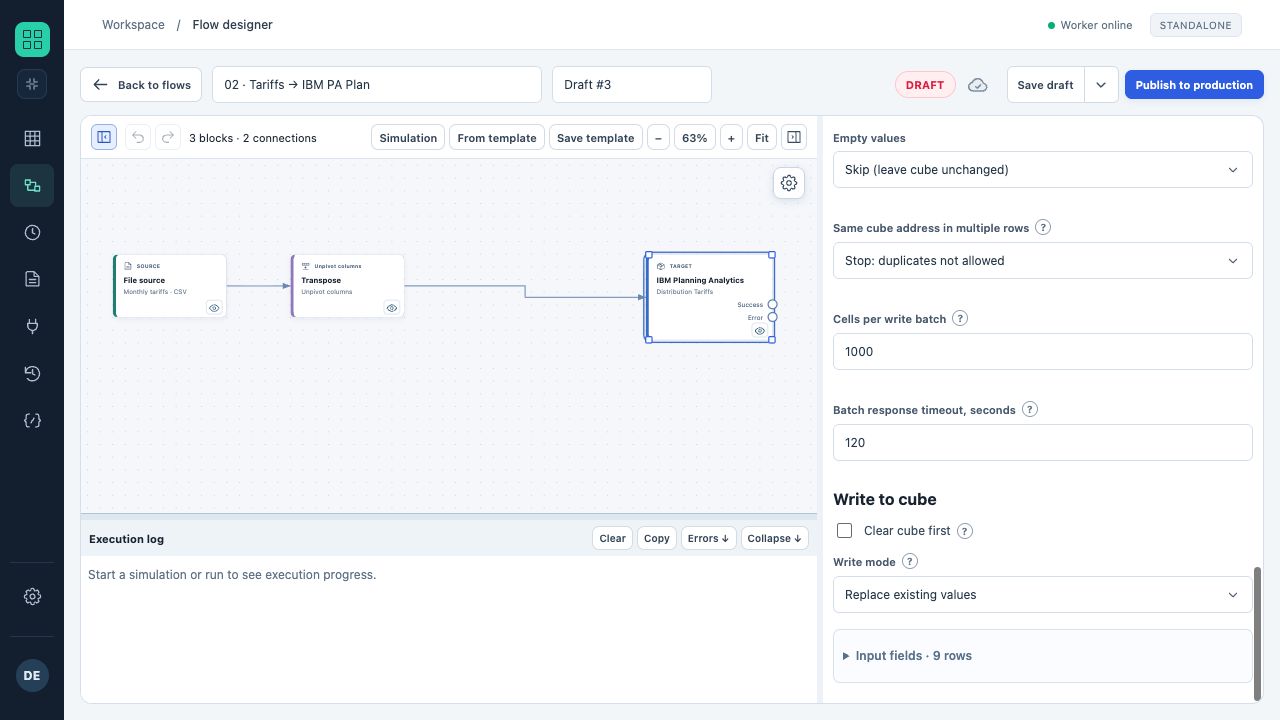
The lower part of IBM destination properties: empty values, duplicates, batch size, cube clearing and write method.
- In the screenshot, clearing is disabled and replacement of addressed values is selected.
- The settings belong to a training flow; no real cubes were changed.
- Add an IBM connection as a destination and select writing to a cube.
- Set the cube, the mapping for every dimension and the value column.
- Explicitly check the write method: add or replace. A new destination defaults to add.
- Run a simulation and review the preparation result.
- Verify coordinates on a small test slice, then run with writes enabled.
Simulation and preview do not guarantee a future write: IBM data, permissions or structure may change between validation and execution. Actual execution applies the server's current checks.
Which cells can be changed
A temporary cellset is created for the batch. The adapter reads ordinals, current values and flags Updateable, Consolidated, RuleDerived. An incomplete or inconsistent response blocks writing.
- Consolidated cells do not accept direct writes; select leaf elements in every dimension.
- Cells whose values are determined by an IBM rule are not overwritten.
- Availability is checked under the connection user, who may differ from the person viewing the PAW book.
- IBM locks, reservations or restrictions can block a specific cell even when the cube is accessible.
Batches and the absence of a global rollback
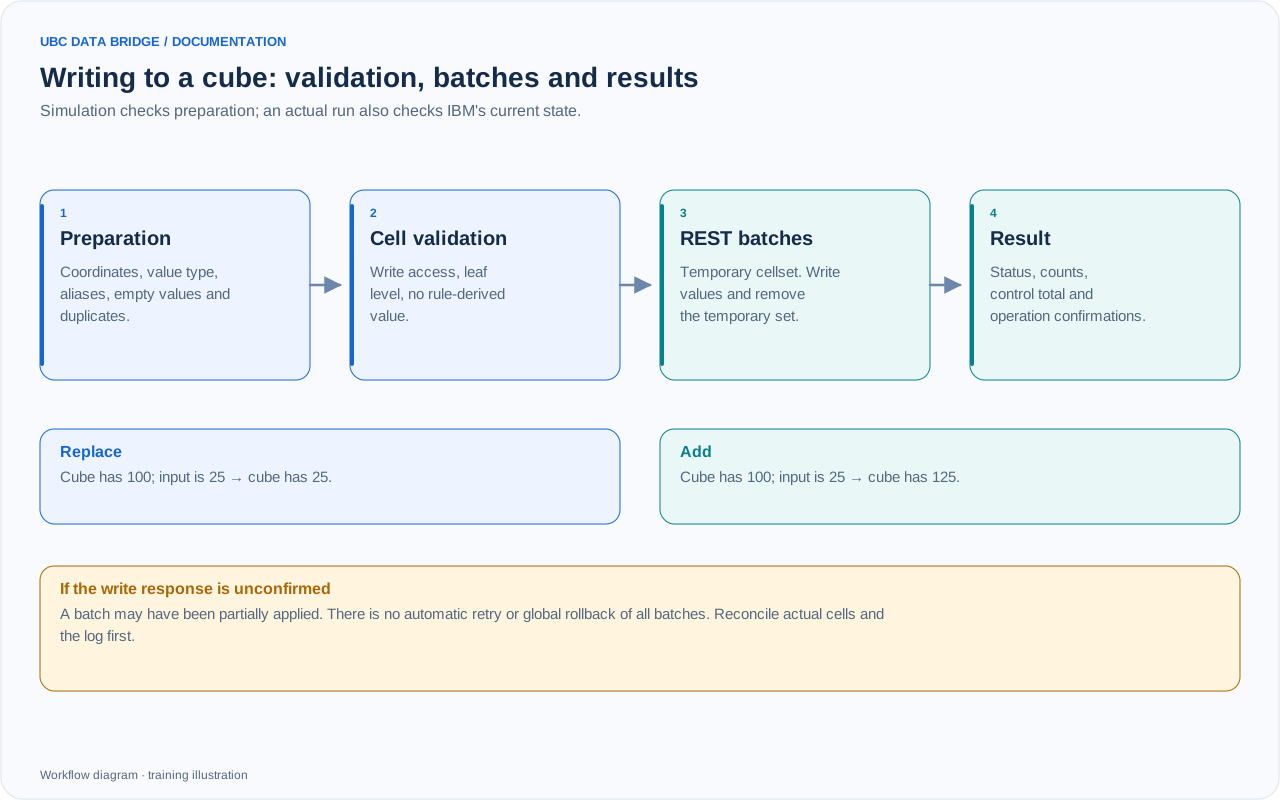
IBM Planning Analytics write stages and the difference between replace and add. Earlier confirmed batches may remain applied if a later batch fails.
Values are sent through REST in cellset batches. The temporary set is deleted afterward and the TM1 session is closed. If deletion of the temporary set is not confirmed, the log records a cleanup warning.
A multi-batch write must not be treated as a single transaction with automatic rollback. If a later batch fails or the run stops, earlier confirmed batches may already have changed the cube. Cancellation does not undo a request already sent to IBM.
When a write result is unconfirmed
If the connection is lost, IBM returns an error or a mutating request's response cannot be verified, UBC Data Bridge reports an uncertain result. The current batch may have been partially applied; it is not automatically retried.
- Record the run ID, cube, operation and coordinates from the diagnostics.
- Compare actual IBM values with the prepared data.
- Determine which coordinates have already changed before planning recovery.
- Check additions and transfers particularly carefully: retrying can change the amount again.
Post-run verification
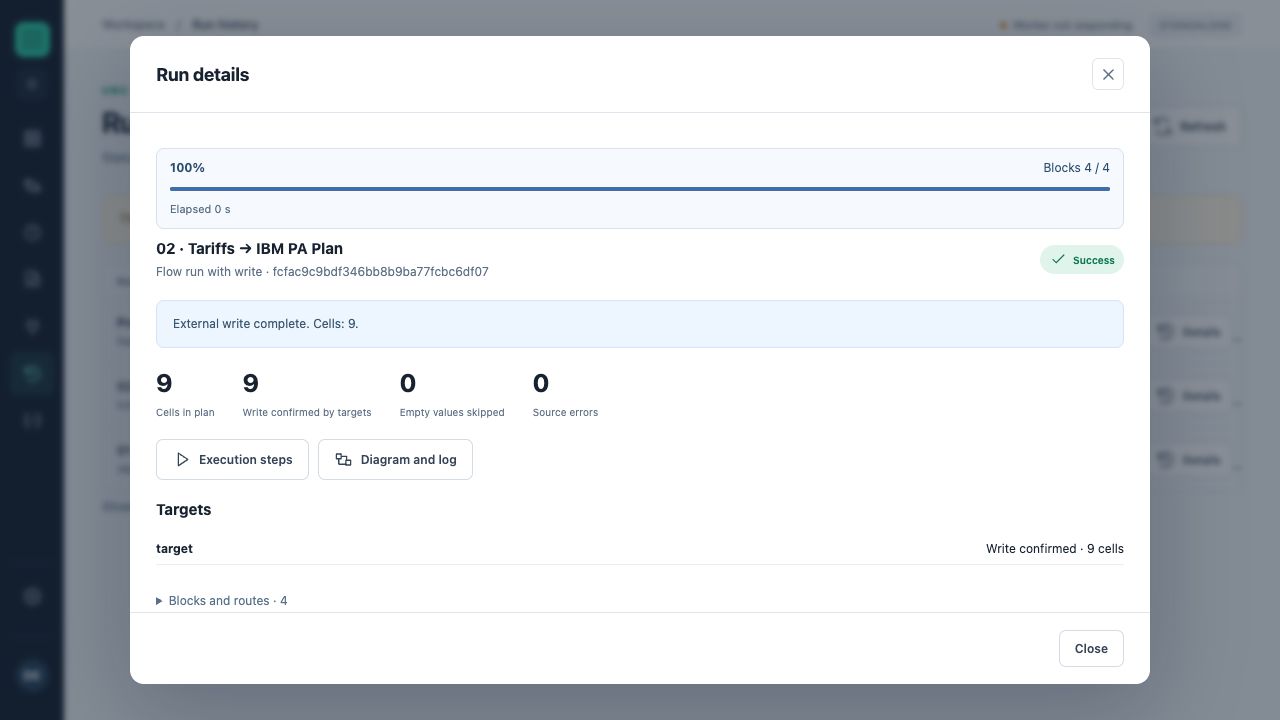
The training run card shows progress, cell count, destinations and the log. The write-confirmation indicator here comes from the IBM test simulator.
Check the run status, prepared and written cell counts, control total and several exact coordinates. For text loads, compare an empty string and a nonempty value. For numeric loads, check positive, negative and zero values.
A failure report includes the cube, dimension, hierarchy, principal name, cell number within the batch and, when known, the source row or cell. This lets you correct the specific input record.
Batch size and response wait
“Cells per write batch” accepts 500–50,000, default 10,000. “Response wait per batch, seconds” accepts 10–3600, default 120. These settings apply to both IBM Planning Analytics and UBC Analytics cube destinations. If a later batch fails, confirmed earlier batches remain applied. A missing write response requires reconciliation. The flow does not automatically repeat an unconfirmed modifying operation.