Where a file is read from
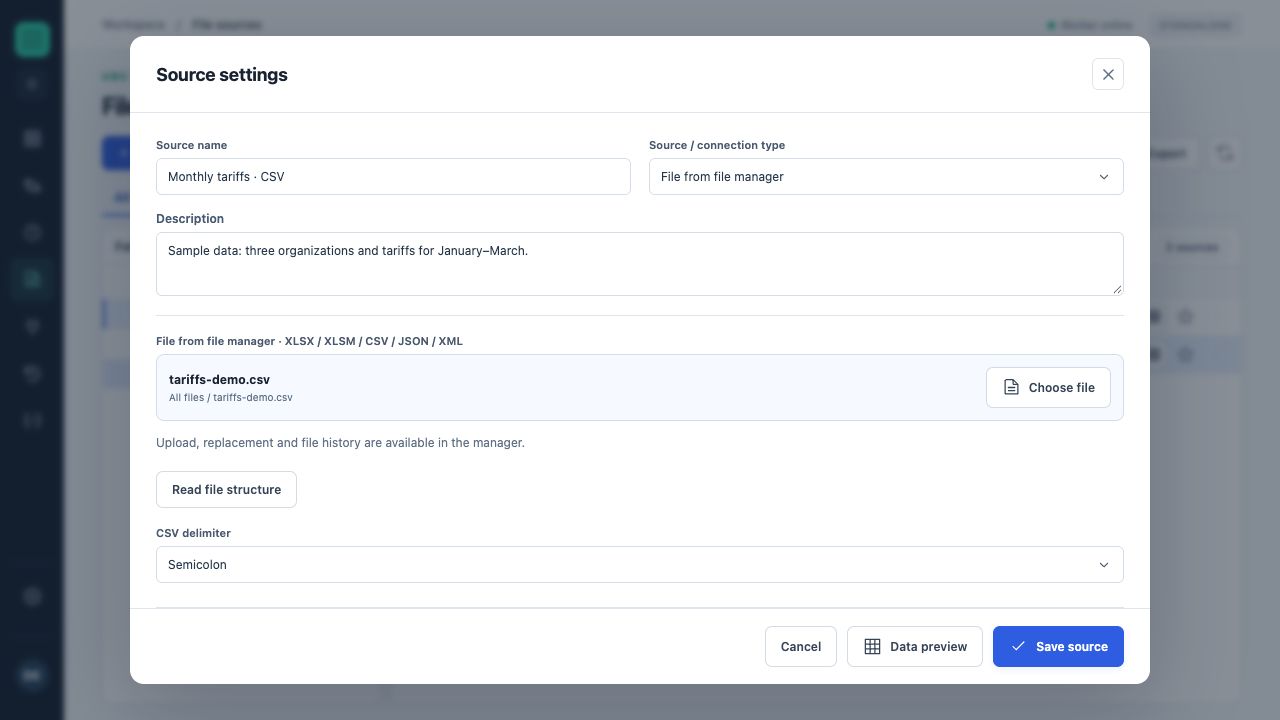
The source selects tariffs-demo.csv from File Manager with a semicolon delimiter. Ranges are configured farther down this form.
A source can use an uploaded file, a File Manager file, Google Sheets, Google Drive, OneDrive, S3, FTP/FTPS or a mounted network drive. A connection describes storage access; a source describes the specific file and reading rules.
Format settings
| Format | Important fields | What to check |
|---|---|---|
| Excel XLSX/XLSM | Sheet, cell range or defined name, header. | The correct sheet and area; reading does not execute macros. |
| CSV | Delimiter and first row as headers. | Text codes, quotation marks and column count. |
| JSON | Path to the record set. | Whether a record array is selected rather than the response's outer wrapper. |
| XML | Path to repeating record elements. | Each selected element corresponds to a table row. |
Ranges
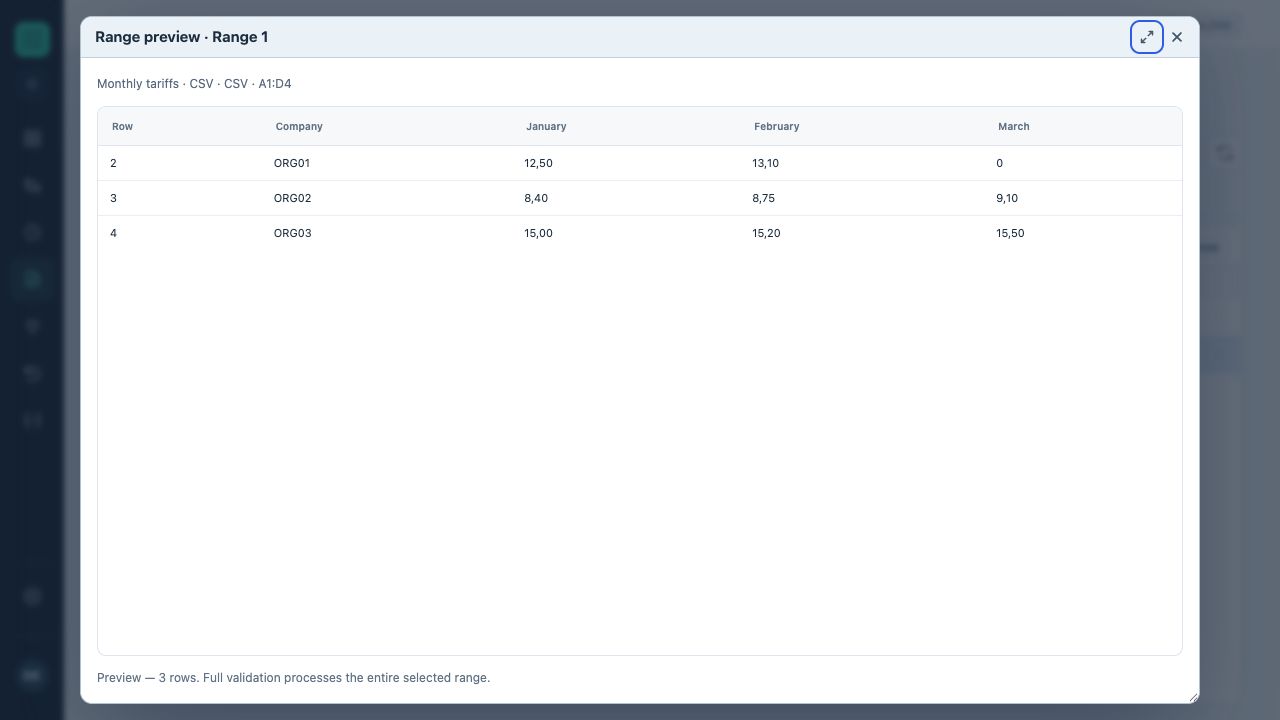
Actual CSV preview · A1:D4: three organizations and tariffs for January, February and March. All values are illustrative.
One source can contain several named ranges. Each has a name, sheet, selection method and header flag. An Excel defined name lets you address an area by name; for a locally scoped name, select the appropriate scope.
An oversized range adds empty rows and unnecessary load. A range that is too narrow truncates data. After changing file structure, update the range and reread block fields.
A stable schema
- Give columns unique, meaningful names.
- Keep codes as text when leading zeros matter.
- Explicitly define the decimal separator for numeric transformations.
- Check the header row and first/last records.
- Revalidate the flow after replacing a file.
A file in the private network
A source can read a file from an allowed agent-computer folder, network folder or mounted drive. Create the storage connection, select the agent and available folder, then choose the file and reading rules. Paths are checked in the agent’s context. Browser access to a file does not grant the server or agent access. Both the agent and resource must be available during execution.