Purpose
PostgreSQL 12 or later, including compatible services (Amazon RDS, Azure Database for PostgreSQL).
Connection fields
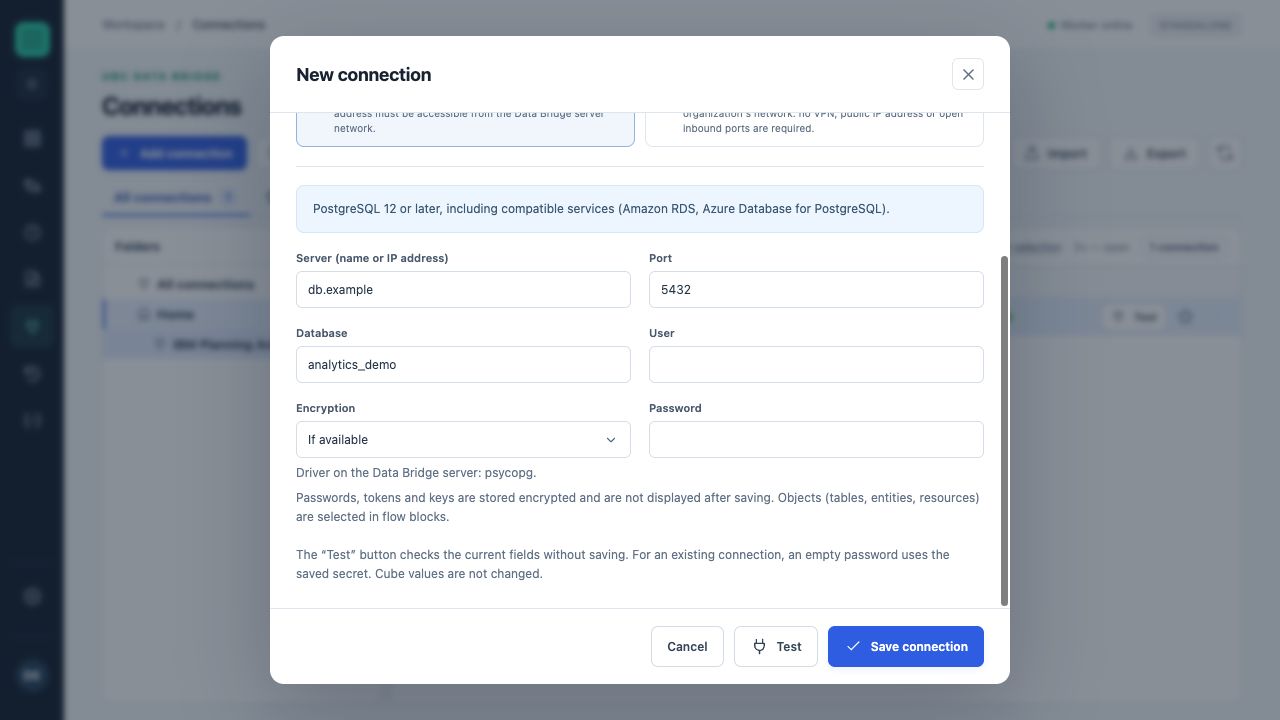
A training form with server db.example, port 5432 and database analytics_demo. No external database connection was made.
| Field | Rule and default value | Explanation |
|---|---|---|
Server (name or IP address)host | Required | Set the value according to your service configuration. |
Portport | As configured Default: 5432Range: 1–65535 | Set the value according to your service configuration. |
Databasedatabase | Required | Set the value according to your service configuration. |
Userusername | Required | Set the value according to your service configuration. |
Encryptionsslmode | As configured Default: prefer | prefer — Prefer when availablerequire — Requiredverify-full — Required, with certificate validationdisable — Disabled |
Passwordsecret | Separate protected field | The secret is not displayed after saving. An empty field in an existing connection preserves its current secret. |
Setup and validation
- Create a connection and give it a clear name.
- Complete required fields and the separate secret field.
- Run “Test” and read the diagnostics.
- Save the connection and select it in the appropriate flow block.
A successful test does not replace checking access to the required object and specific write mode.
Use in a flow
Server and account settings are stored in the connection. The specific object, fields and flow behavior are defined in the block. Go to data-handling rules →