1. Create the publication endpoint
Create “REST API” with direction “Publish flow data”. Enter a name, API version and identifier, for example stock. The address becomes GET /api/v1/data/stock with your installation's prefix. Choose JSON, JSON Lines, CSV or XML. Configure the CSV delimiter; for XML, column names must be valid element names.
A protected endpoint does not need a separate connection secret: the consumer uses its own API client. Set the maximum data age for stored results. “API limits” can restrict rows per response; a request's limit above that ceiling is reduced to the permitted value.
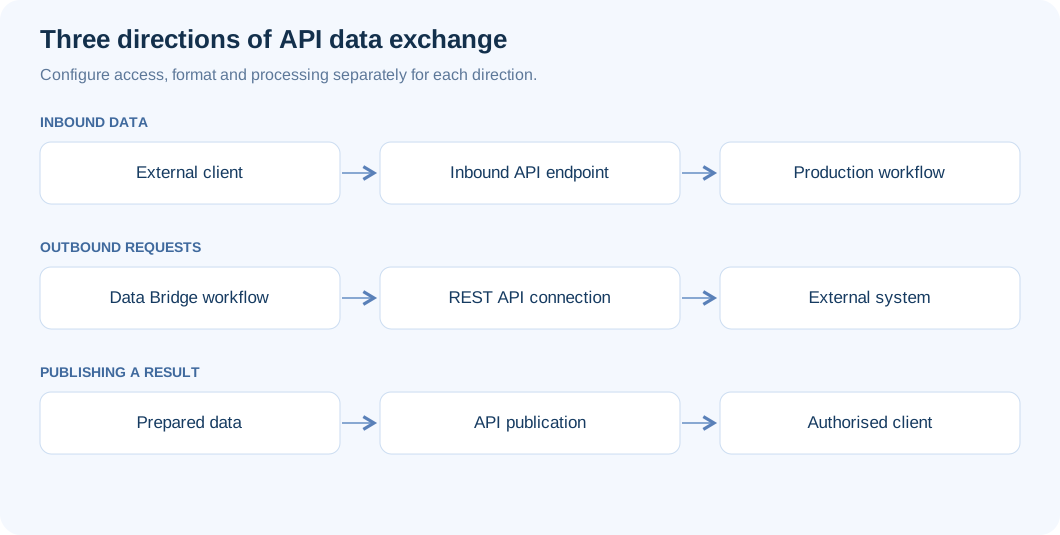
2. Connect the result in a flow
Add “API data publication” from “API: receive and publish data” and select a free endpoint. Connect its input to the block whose table should be exposed. This may be a prepared transformation result or a destination's result after writing. For a router, select the required output.
The block terminates its branch and has no outputs. A flow allows one publication block; an endpoint belongs to one published flow. Reusing an occupied endpoint is rejected as API_POINT_TAKEN. Save and publish the flow. Before publication, the endpoint returns 409 API_ENDPOINT_NOT_READY; stored-results mode also needs an initial run.
3. Choose a freshness mode
“Stored results of the latest run” returns the table from the latest completed Production run, successful or partial. GET does not execute the flow. Arrange updates through a schedule or another authorized mechanism. Data older than the configured maximum produces 409 API_DATA_STALE; zero disables the age check.
“Run the flow for every request” executes Production without interactive participation. Set a wait of 1–120 seconds and result reuse of 0–3600 seconds. Identical run parameters can reuse a completed result; simultaneous identical requests await the same run. The key owner needs execution permission and the client needs “Read”. The stored-data age limit does not apply in this mode.
4. Add API parameters
In block properties, click “Add parameter”. A name starts with a Latin letter and contains up to 40 letters, digits or underscores; offset, limit and run are reserved. Add a description for the integrator. A parameter can filter rows by a field or supply a flow run parameter; the latter is available only for execution on demand.
Set type — text, number or date — required status, permitted values or bounds. For example, warehouse filters Warehouse and date filters a date. Repeating warehouse=KYIV&warehouse=LVIV selects several values; date_from and date_to specify an inclusive range. Different parameters apply together. Unlike intake, the p. prefix is unsupported here.
5. Read pages from one result
The request below assumes you configured the warehouse parameter. Add key and HMAC headers according to the client rules. Responses include X-Total-Rows, X-Run-Id, X-Run-Finished and ETag. Follow Link or X-Next-Offset for another page, preserving parameters and the run identifier.
GET /api/v1/data/stock?warehouse=KYIV&offset=0&limit=100
Authorization: Bearer API_KEY
X-UBC-Timestamp: UNIX_SECONDS
X-UBC-Signature: v1=HMAC_HEX
If a new run does not finish in time, 202 API_RUN_PENDING returns next, Location, Retry-After and run.id. Wait and request next: it contains run=... and does not start another run. Send If-None-Match with an unchanged ETag to receive 304.
6. Access, errors and acceptance
Keep the endpoint protected for internal data. “Public endpoint — access without key or signature” opens it to anyone after confirmation; a separate IP limit and overall API limit still apply. Technical documentation and other routes do not automatically become public.
Test valid and missing parameters, multiple pages, stale data and a user without permission. 400 API_PARAMETER_REQUIRED means a missing parameter; API_PARAMETER_INVALID, an invalid value; API_QUERY_UNKNOWN, an unknown name. A missing field produces 409 API_PARAMETER_FIELD; a failed run, 502 API_RUN_FAILED. Verify filtered counts, specific keys and run.id rather than HTTP 200 alone.
In execution mode, a public endpoint runs the flow with the publishing user’s permissions; verify them before enabling access. The “API data publication” block reference lists the block settings.