Purpose
Brings alternative routes into one continuation, preserving the table from the selected active branch. Intended for logically mutually exclusive branches or an explicit priority based on the first active input.
Inputs and outputs
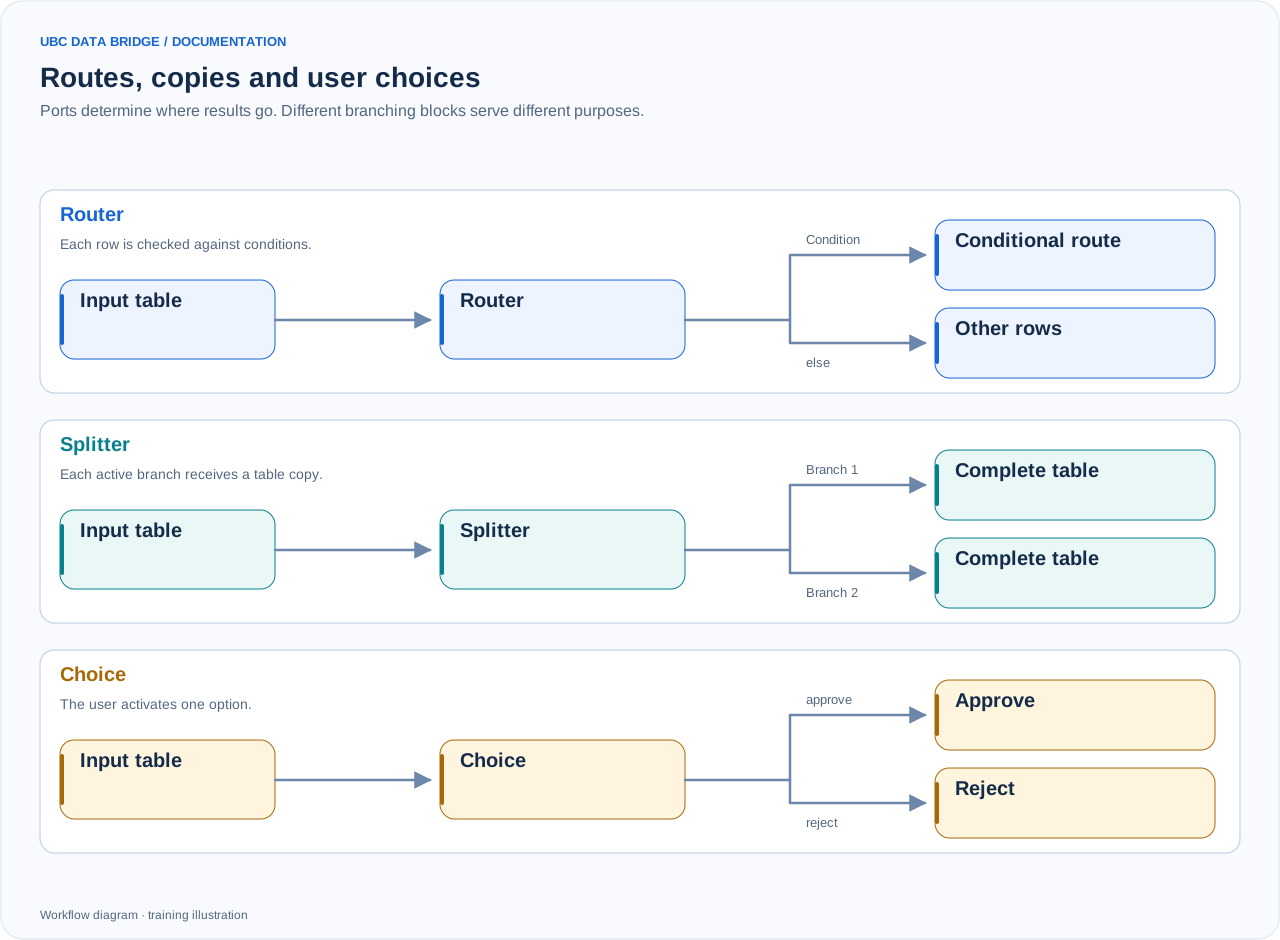
A comparison of routing, splitting and user choice. Routing can use first-match or all-match mode; the diagram shows a simple route and else. Merge also waits for a signal that an input is inactive.
From 2 to 32 inputs; one out output. All inputs are connected, but some may be inactive during execution.
Parameters
| Parameter | Settings and values | Options and limits |
|---|---|---|
inputs | Named inputs, each receiving a separate connection. | Count: 2–32 |
mode | single expects no more than one active branch; first selects the first active branch in input order. | Options: single, firstDefault: single |
Step-by-step configuration
- Add one input per alternative and name them.
- Connect the end of each branch.
- Choose single to check mutual exclusivity or first for priority-based selection.
- Check that table structures are suitable for the next step.
Rules and diagnostics
- single with multiple active inputs causes MERGE_SEVERAL_ACTIVE.
- first uses input order, not completion speed.
- No active branches produce an inactive output with the first input’s structure.
- The block does not append rows from different active tables; use Union for that. The result’s structure belongs to the selected branch specifically.
Configuration example
After “Choose an option”, both alternatives prepare a Product, Value table. Connect them to Merge in single mode, then to one shared export.