Compare modes
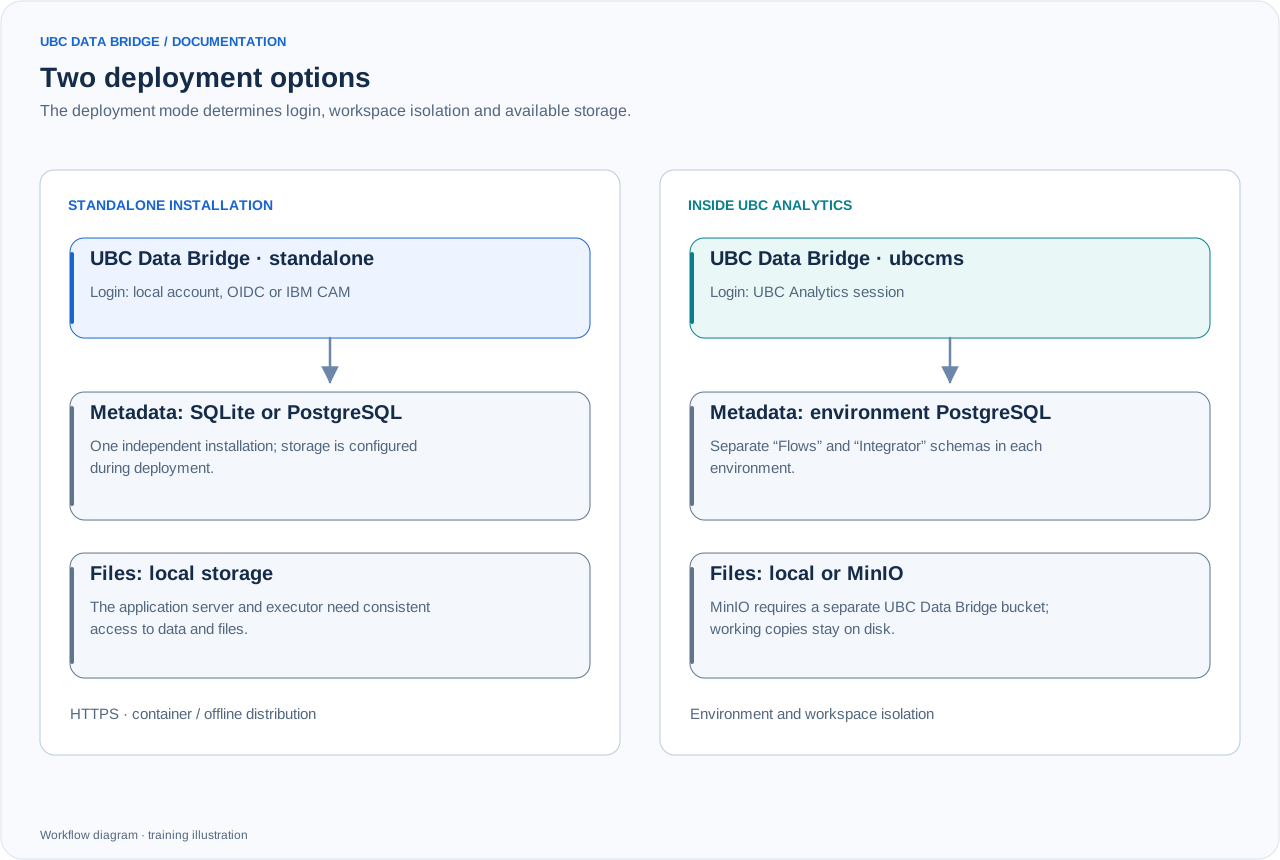
Comparison of a standalone installation and UBC Analytics integration. MinIO belongs to ubccms mode; in a standalone deployment, connectors still need access to their respective servers.
| Characteristic | Standalone installation | Inside UBC Analytics |
|---|---|---|
| Mode | standalone | ubccms |
| Login | Local, OIDC or IBM CAM | UBC Analytics session |
| Metadata | SQLite or external PostgreSQL | PostgreSQL databases of the corresponding environments |
| Files | Local file storage | Local storage or a separate MinIO bucket |
| Workspaces | Independent installation | Separate “Flows” and “Integrator” in each environment |
| User management | UBC Data Bridge or identity provider | UBC Analytics |
Configuration choices
| Parameter | Options | Purpose |
|---|---|---|
| BRIDGE_DEPLOYMENT_MODE | standalone / ubccms | Defines integration boundaries. |
| BRIDGE_AUTH_MODE | local / oidc / cam | Login method for a standalone installation. |
| BRIDGE_DB_MODE | sqlite / postgres | Metadata storage type for a standalone installation. |
| DATABASE_URL | PostgreSQL connection | Database address and credentials; do not expose them to users. |
| BRIDGE_FILE_STORAGE | local / minio | MinIO is available in UBC Analytics mode. |
| BRIDGE_BASE_PATH | For example, /databridge | Application path behind a reverse proxy. |
Service deployment
The distribution includes container deployment, production configurations and an offline package for Planning Analytics/CAM environments. The API server and executor must see consistent settings, the metadata database and files. For a network drive, both need the same mounted path. A reverse proxy provides the external HTTPS address and application route.
Offline environment
The offline package is intended for installation without downloading dependencies during normal operation. Prepare images, configuration, trusted certificates and licensing for your distribution. An offline package does not mean connectors can operate without access to their respective servers.
Post-installation checks
- Check the readiness response at the application path ending in
/ready. - Sign in using the required method and ensure the user has a role.
- Create a test connection and check reachability.
- Upload a small file and run a flow with export.
- Check the executor, run history and result creation.
- For UBC Analytics, check every environment and both sections separately.