Add, replace and transaction
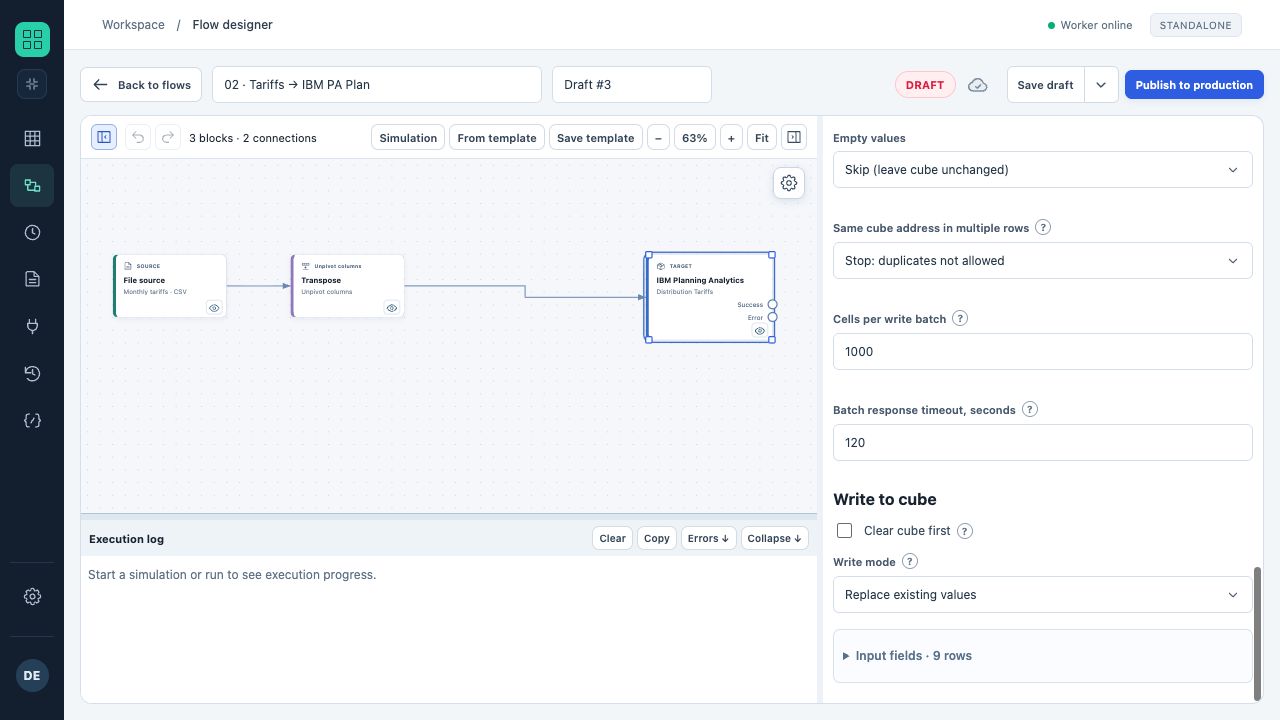
The lower part of IBM destination properties: empty values, duplicates, batch size, cube clearing and write method.
- In the screenshot, clearing is disabled and replacement of addressed values is selected.
- The settings belong to a training flow; no real cubes were changed.
“Replace” sets the supplied value in the addressed cell. “Add” adds the input number to the current value. A new destination defaults to addition, so inspect the mode explicitly. For a cell containing 100 and an input of 25, replacement gives 25 and addition gives 125. Use replacement for text. “Transactional data addition” applies the difference produced by saving a UBC Analytics form record.
Pre-clearing
A destination can clear the entire cube or specified slices before writing. When clearing is enabled, data is written in replace mode; a separate add or transaction method does not apply.
| Slice boundary source | Behavior |
|---|---|
| Selected elements | An explicit set of principal names; a consolidation represents its leaf elements |
| From data | Elements populated by the current mapping from a source column |
| Run parameter | Value from the selected form field |
A dimension that does not restrict the slice is included in full. When year and month boundaries come from data, the actual combinations in the rows are cleared, rather than every possible year/month combination.
What is cleared and how it is validated
The adapter finds stored nonempty leaf cells within the specified slices. Rule-calculated values and consolidated cells are not cleared as input data. A numeric cell is cleared by writing 0; a text cell by writing an empty string.
All identified target cells are validated before the first clear operation. A limit breach or inaccessible cell stops preparation. Actual clearing uses batches of 500 cells; failure during execution can still leave partially applied changes.
Before running, verify the boundary for each dimension. For a monthly reload, for example, restrict Version=Actual and Month=2026-10 rather than the entire cube.
Transactional addition from a form save
Select cube_write.mode=transaction for a flow launched by a UBC Analytics form button with a save action. The source must read “The form record that launched the flow”. Before-save and after-save values pass through the same transformations; each cell receives “new − previous”. When several form records aggregate into one cell, only the saved record’s contribution changes.
- A new record only adds its contribution. A record excluded by the filter removes its earlier contribution. An unchanged cell is not written.
- The context contains the save event. Repeating the same event for the same destination does not add the amount twice.
- A run without saving produces TRANSACTION_SAVE_REQUIRED; a run without the corresponding source produces TRANSACTION_RECORD_REQUIRED.
- Enable the connection setting to log removed and added data.
- Before production, test record creation, amount changes, coordinate changes and a record no longer passing the filter.
Verifying the operation
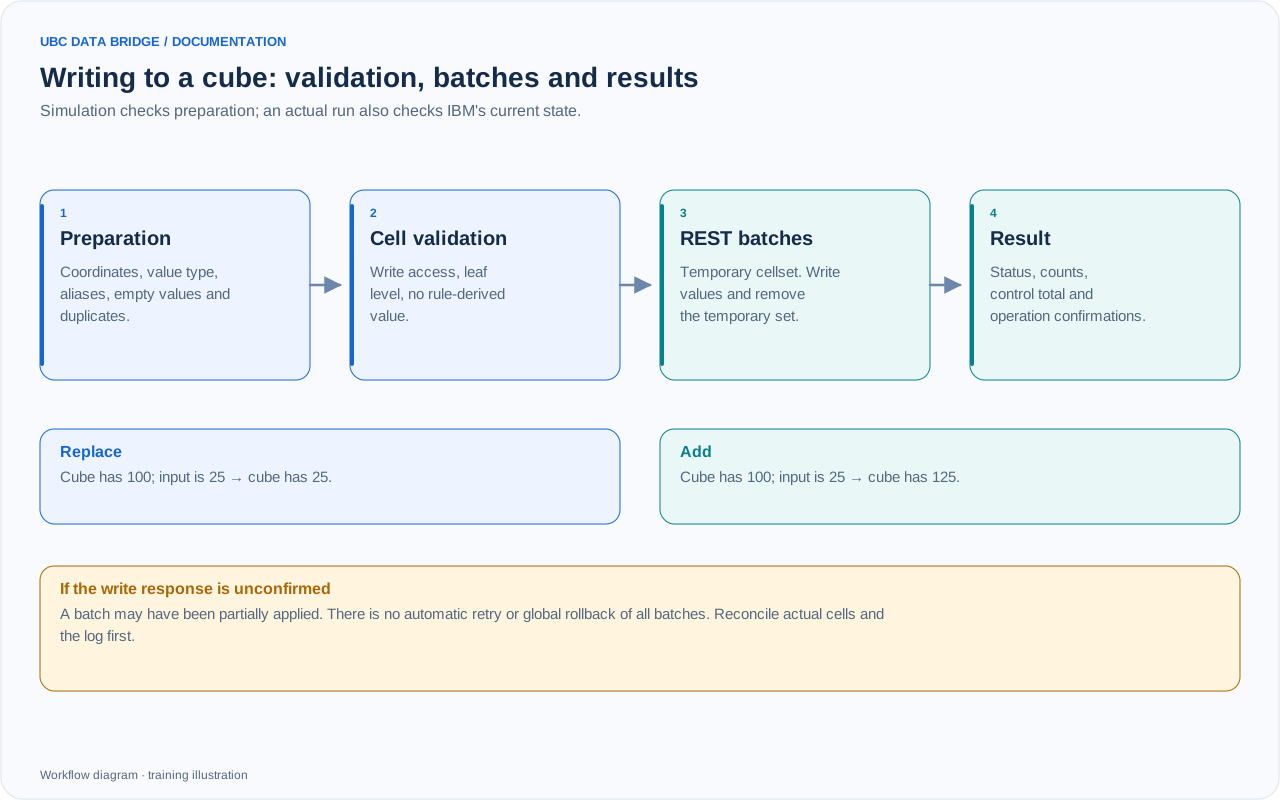
IBM Planning Analytics write stages and the difference between replace and add. Earlier confirmed batches may remain applied if a later batch fails.
For clearing, check a cell inside the slice with new data, a cell inside it without a new row and a cell outside it. For transactional addition, reconcile the before-save and after-save contribution, cube total and event ID. Repeating ordinary addition adds the amount again; a repeated confirmed transaction event is recognized separately. After a partial or unconfirmed write, reconcile destination state first.